> ## Documentation Index
> Fetch the complete documentation index at: https://docs.instaforge.app/llms.txt
> Use this file to discover all available pages before exploring further.
# Unanswered questions
> Questions the assistant couldn't answer yet. Answer once and it knows from then on.
When the assistant can't find an answer in the knowledge base, it sends the fallback message and saves the question here. Similar questions are grouped, with how often they were asked.
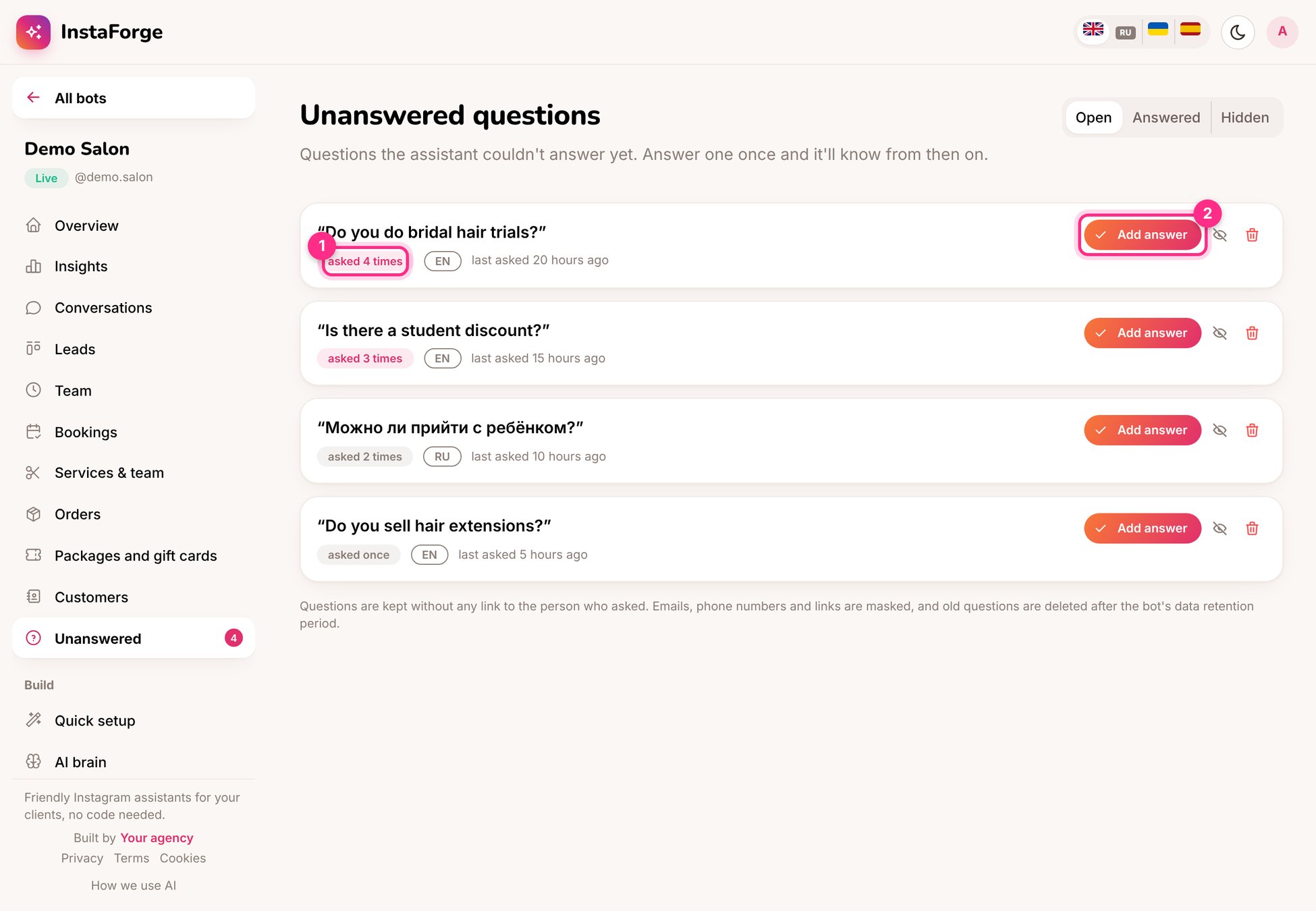 ## Answer a question
Write the answer the way you'd say it to a customer.
The answer becomes an FAQ entry. From now on the assistant answers it.
You can send the answer to everyone who asked it in the last 7 days, so nobody is left waiting.
Questions that don't need an answer (spam, off-topic) can be hidden.
Business owners see this list in their portal as **Questions to answer**. Their answers become FAQ entries too, so the client can teach the assistant without your help.
Sort by **asked most** once a week. The top three questions are usually worth an FAQ, a starter question, or both.
This documentation is built and hosted on [Mintlify](https://mintlify.com), a developer documentation platform.
## Answer a question
Write the answer the way you'd say it to a customer.
The answer becomes an FAQ entry. From now on the assistant answers it.
You can send the answer to everyone who asked it in the last 7 days, so nobody is left waiting.
Questions that don't need an answer (spam, off-topic) can be hidden.
Business owners see this list in their portal as **Questions to answer**. Their answers become FAQ entries too, so the client can teach the assistant without your help.
Sort by **asked most** once a week. The top three questions are usually worth an FAQ, a starter question, or both.
This documentation is built and hosted on [Mintlify](https://mintlify.com), a developer documentation platform.