> ## Documentation Index
> Fetch the complete documentation index at: https://docs.instaforge.app/llms.txt
> Use this file to discover all available pages before exploring further.
# Alerts and notifications
> Get told the moment something needs you, on your phone, by email or in Telegram.
Each person chooses which alerts they get and where: **notifications on this device** (phone or computer), **Telegram**, and a **weekly summary by email**. Open **Settings → Notifications**.
## What you can be told about
| Alert | When |
| - | - |
| Someone asks for a person | A customer wants a human |
| A new appointment is booked | In the chat or on the booking page |
| The assistant couldn't answer a question | A new unanswered question |
| The client suggests a change | From their portal |
| Someone is about to leave the 24-hour window | They asked about prices and went quiet |
| Unhappy customers | A visit was rated 1 to 3 |
| Reminders you set on leads | At the time you chose |
| Someone hasn't confirmed their appointment | When the team is told instead of releasing the time |
| An unhappy comment | Or a comment that couldn't be hidden |
| A new shop order | From the shop page or the chat |
| Someone wants a package or gift card | And payment is arranged by the team |
| A friend someone invited booked | Their reward is due |
| Posts are waiting for approval | For business owners |
| The owner approved a post or asked for changes | For the agency |
| Something on the platform stops working | Site, backups, disk space (admins) |
## Turn on phone notifications
On the home page or in Settings. Allow notifications when the browser asks.
In Safari tap **Share → Add to Home Screen**, open it from there, then turn notifications on.
Click **Send me a test** to check it arrives.
## The home page
The home page brings everything together: **Needs you** (people waiting, questions, orders, approvals, reminders), what happened **in the last day**, what's **coming up this week** and the **latest activity**.
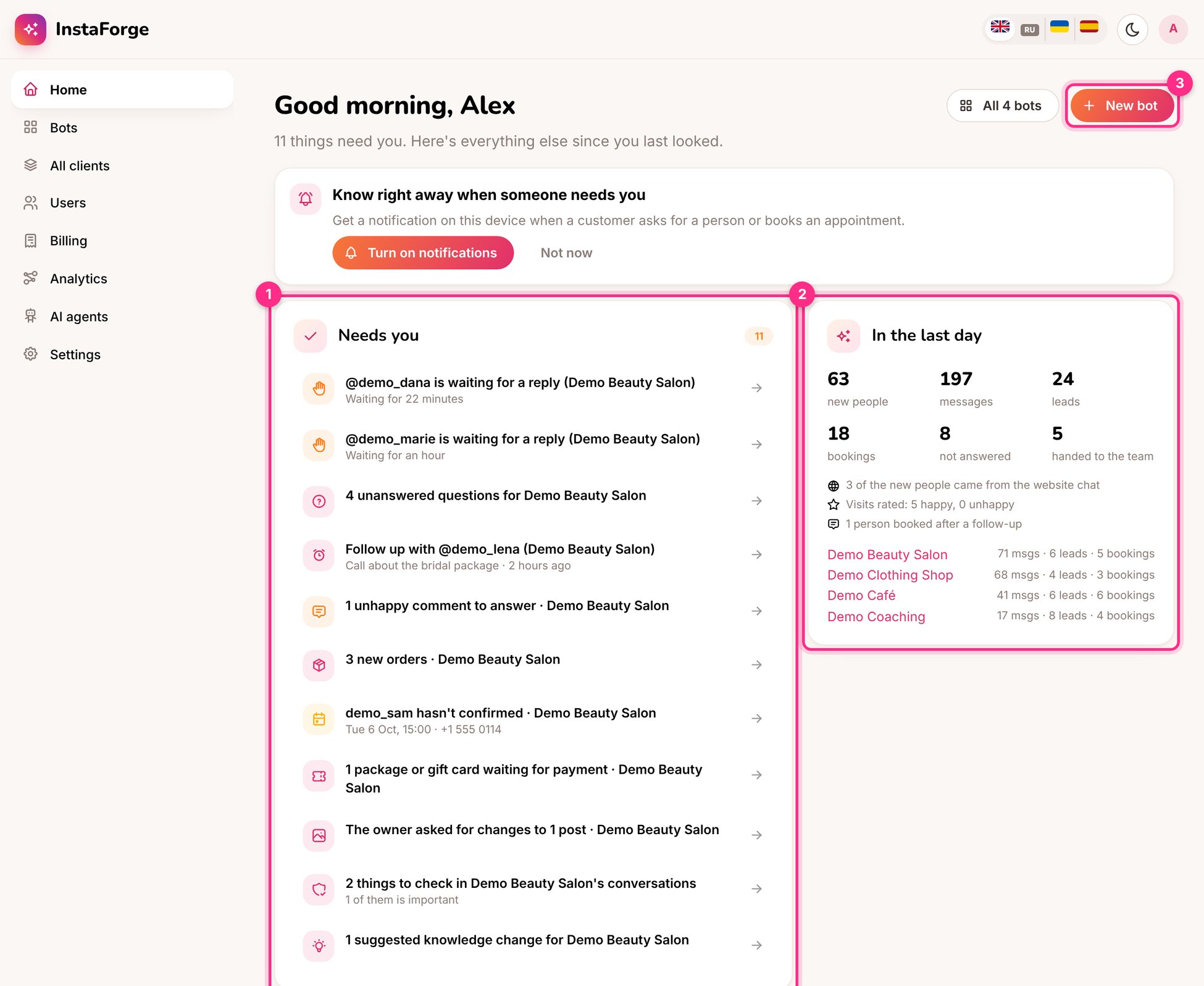 Admins can add a Telegram bot for the agency in **Settings → Notifications**. Everyone can then connect their own Telegram in one tap.
This documentation is built and hosted on [Mintlify](https://mintlify.com), a developer documentation platform.
Admins can add a Telegram bot for the agency in **Settings → Notifications**. Everyone can then connect their own Telegram in one tap.
This documentation is built and hosted on [Mintlify](https://mintlify.com), a developer documentation platform.