> ## Documentation Index
> Fetch the complete documentation index at: https://docs.instaforge.app/llms.txt
> Use this file to discover all available pages before exploring further.
# The in-app guide
> Tours, tips and hints that show you around the dashboard as you work.
The dashboard has a built-in guide: short tours that point at the real buttons, a light bulb with a tip next to the trickier settings, and tips for each assistant about what's worth doing next. It's on for everyone at first. Each person can switch it off for themselves, and what they've finished is kept on their account, so it follows them to their phone or another computer.
## The compass
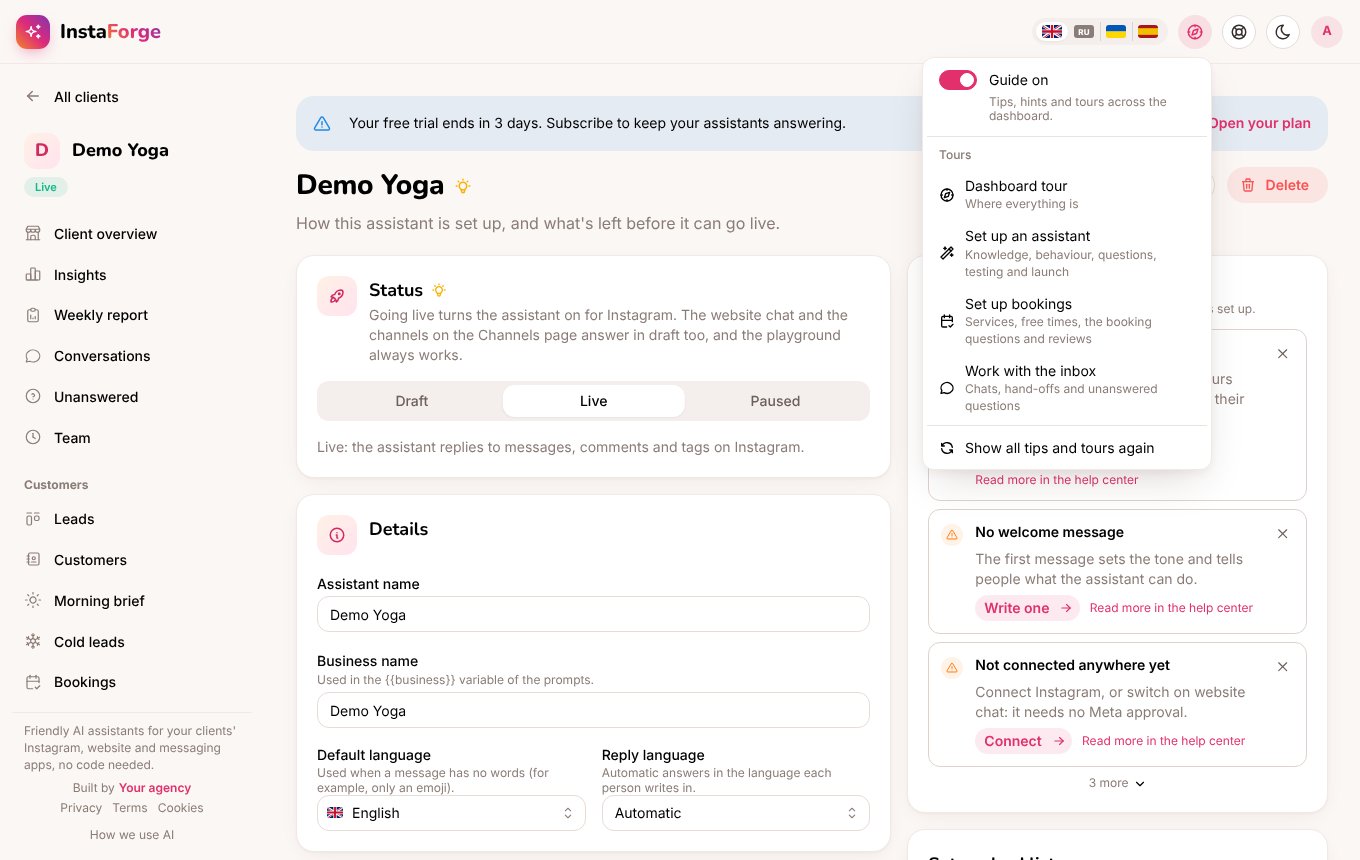
The compass at the top of every page is where the guide lives. From there you can:
* switch the guide on or off,
* start a tour,
* show all tips and tours again.
 ## Tours
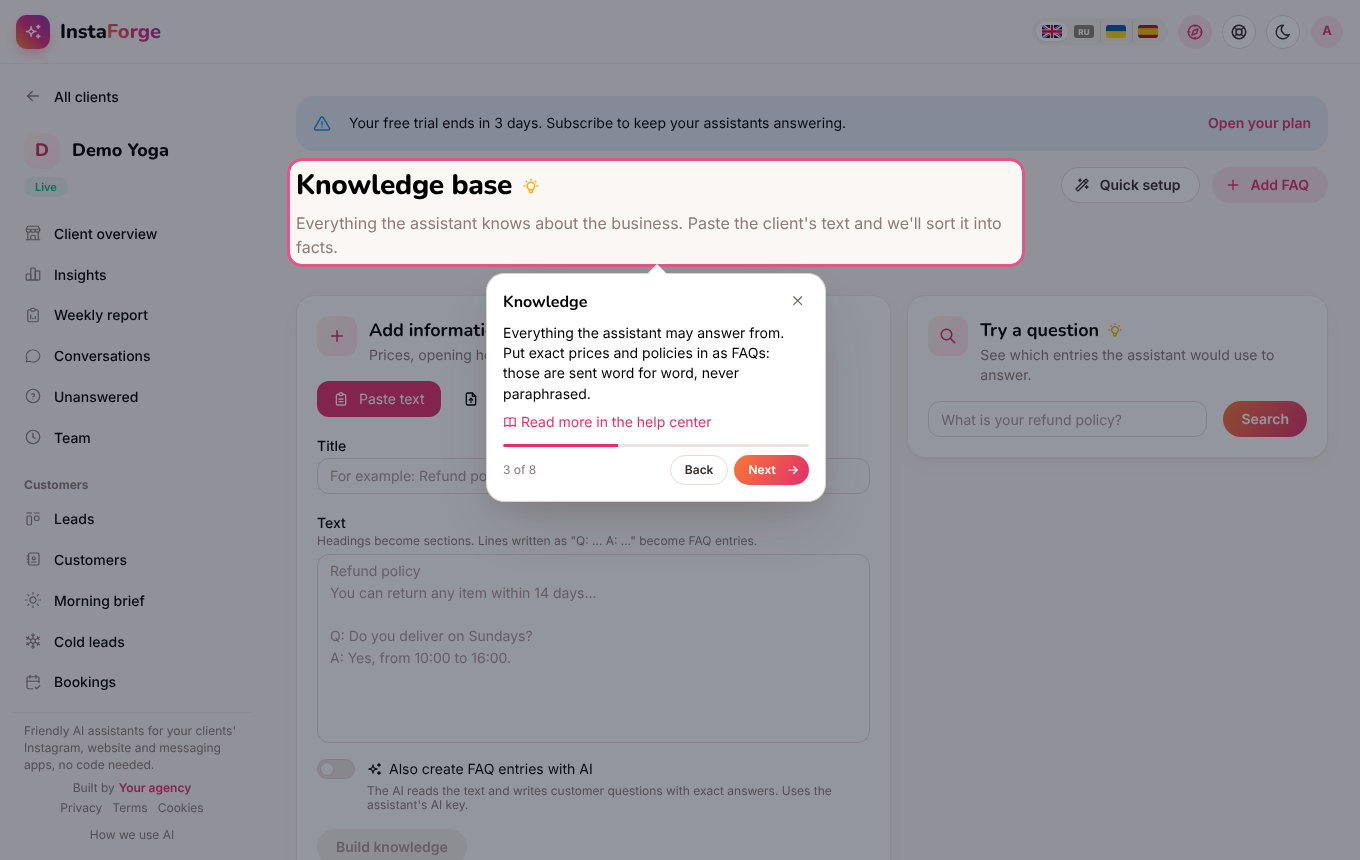
A tour opens each page in turn, highlights the part it's talking about and explains it in a card with an arrow. Use **Next** and **Back** or the arrow keys, and press **Esc** to close it. Each card links to the matching page in this help center.
| Tour | What it covers |
| - | - |
| Dashboard tour | Where everything is: clients, creating an assistant, AI agents and help. |
| Set up an assistant | The checklist, quick setup, knowledge, behaviour, questions, testing, connecting Instagram and going live. |
| Set up bookings | Services and team, where free times come from, the booking questions, the booking page and reviews. |
| Work with the inbox | Conversations, people waiting for the team, unanswered questions, customers and alerts. |
Tours that need an assistant use the one you have open, or your first one.
## Tours
A tour opens each page in turn, highlights the part it's talking about and explains it in a card with an arrow. Use **Next** and **Back** or the arrow keys, and press **Esc** to close it. Each card links to the matching page in this help center.
| Tour | What it covers |
| - | - |
| Dashboard tour | Where everything is: clients, creating an assistant, AI agents and help. |
| Set up an assistant | The checklist, quick setup, knowledge, behaviour, questions, testing, connecting Instagram and going live. |
| Set up bookings | Services and team, where free times come from, the booking questions, the booking page and reviews. |
| Work with the inbox | Conversations, people waiting for the team, unanswered questions, customers and alerts. |
Tours that need an assistant use the one you have open, or your first one.
 ## Hints next to settings
While the guide is on, a light bulb sits next to each page title and next to the settings that are easy to get wrong: the AI service, strict knowledge, the welcome message, hand-offs, follow-ups, booking sources, deposits, reminders, services, website chat and draft mode. Hover over it for a short tip and a link to the help center.
## Tips for each assistant
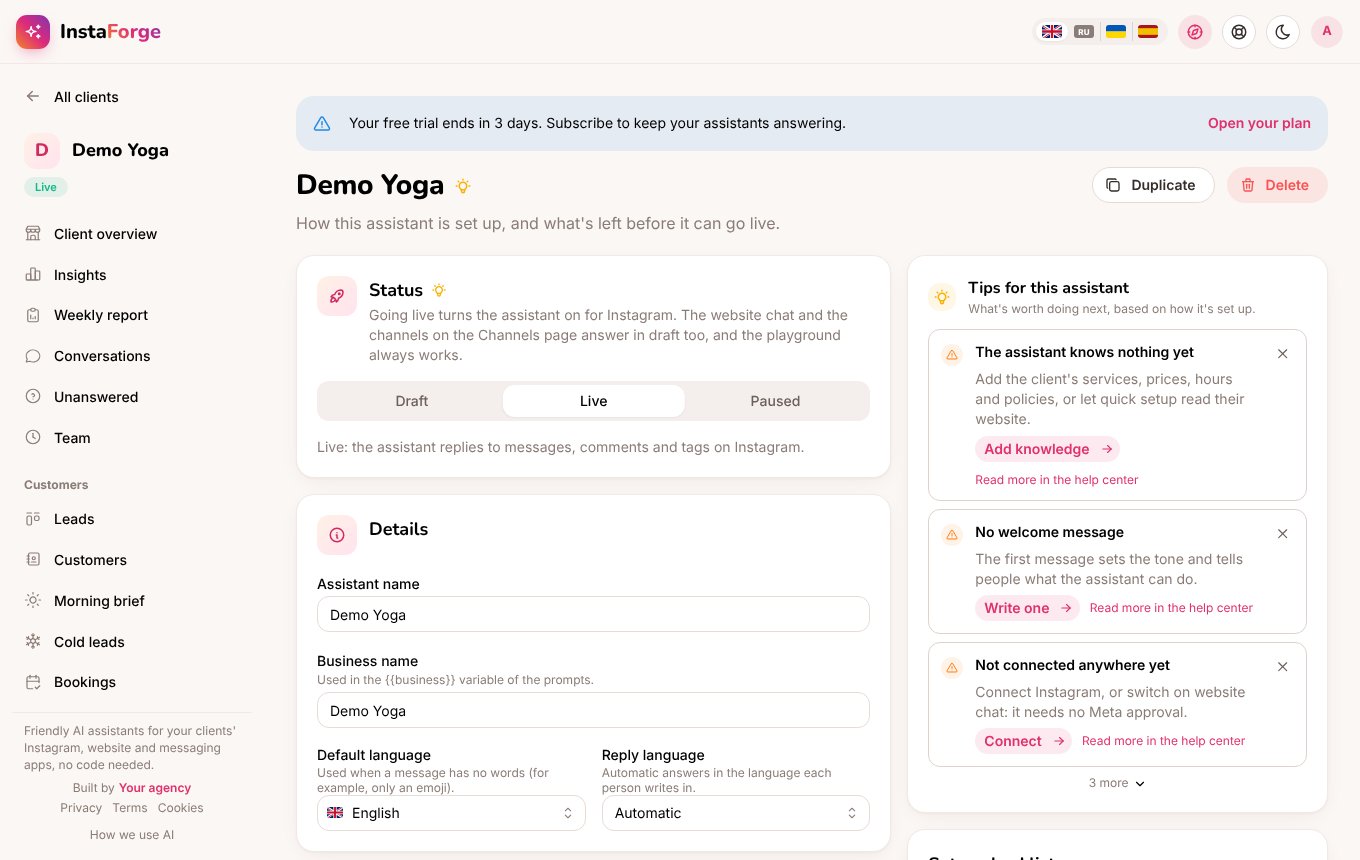
The assistant's **Overview** page shows what's worth doing next, worked out from how it's set up:
* **Things missing**: no knowledge or exact FAQ answers yet, open unanswered questions, replies the quality check flagged, no welcome message, bookings switched on without booking questions, or no channel connected.
* **Ideas**: features worth trying, such as website chat, follow-ups, a comment campaign, reviews after visits, reminders or bookings.
Each tip has a button that opens the right page. Close a tip with **×** and it stays hidden for you.
## Hints next to settings
While the guide is on, a light bulb sits next to each page title and next to the settings that are easy to get wrong: the AI service, strict knowledge, the welcome message, hand-offs, follow-ups, booking sources, deposits, reminders, services, website chat and draft mode. Hover over it for a short tip and a link to the help center.
## Tips for each assistant
The assistant's **Overview** page shows what's worth doing next, worked out from how it's set up:
* **Things missing**: no knowledge or exact FAQ answers yet, open unanswered questions, replies the quality check flagged, no welcome message, bookings switched on without booking questions, or no channel connected.
* **Ideas**: features worth trying, such as website chat, follow-ups, a comment campaign, reviews after visits, reminders or bookings.
Each tip has a button that opens the right page. Close a tip with **×** and it stays hidden for you.
 ## First steps
A new agency sees a **First steps** card on the home page: the dashboard tour, creating the first assistant, setting it up step by step and connecting a channel. Each step ticks off by itself, and the card disappears when all four are done.
## In the client portal
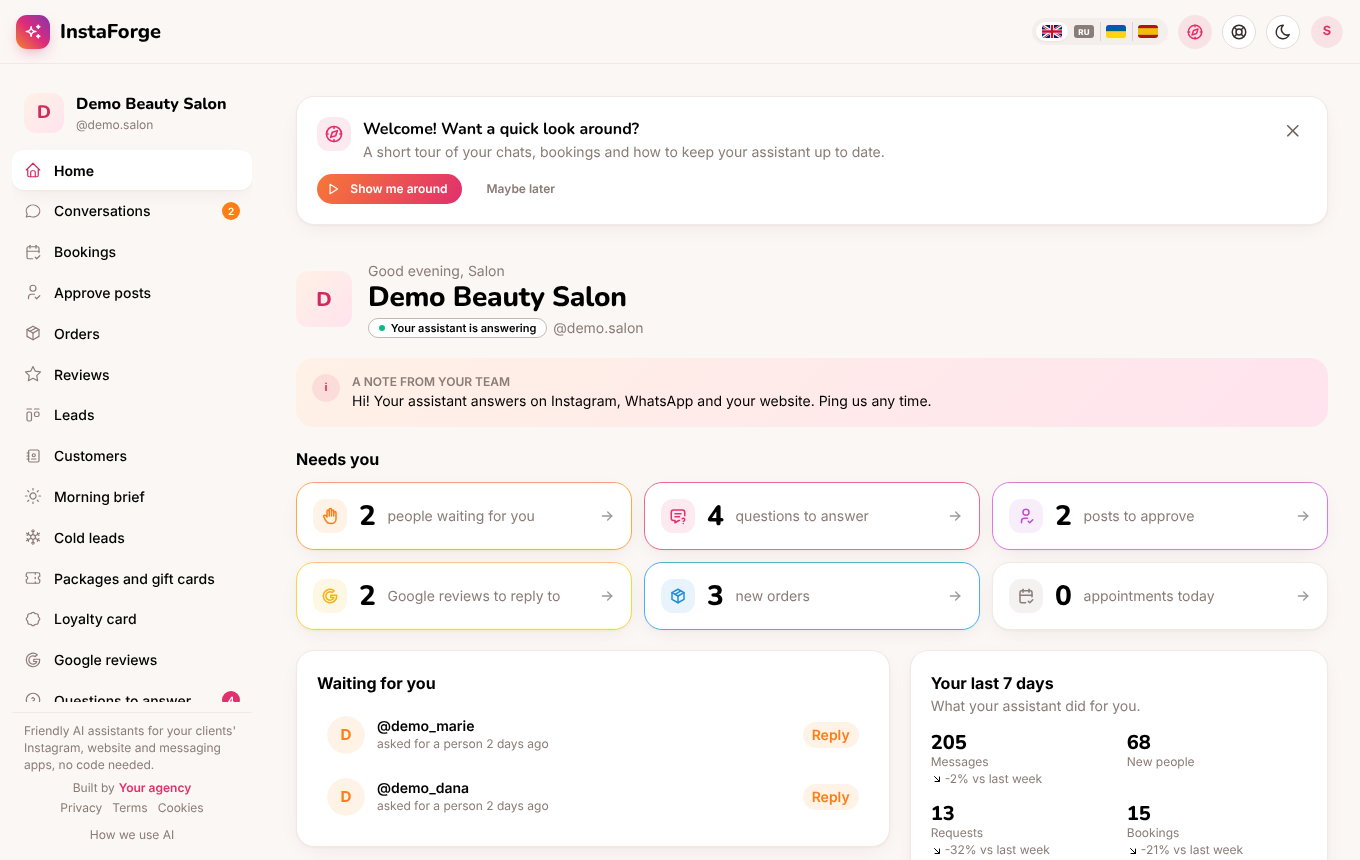
Business owners get a simpler version. The first time they open their portal, they're offered a short tour of their home page, chats, bookings, questions to answer and what their assistant knows. Their pages have light bulbs too, written for them. See [Client portal](/client-portal).
## First steps
A new agency sees a **First steps** card on the home page: the dashboard tour, creating the first assistant, setting it up step by step and connecting a channel. Each step ticks off by itself, and the card disappears when all four are done.
## In the client portal
Business owners get a simpler version. The first time they open their portal, they're offered a short tour of their home page, chats, bookings, questions to answer and what their assistant knows. Their pages have light bulbs too, written for them. See [Client portal](/client-portal).
 When the dashboard is in Russian, the help center links in the guide open the Russian help center.
This documentation is built and hosted on [Mintlify](https://mintlify.com), a developer documentation platform.
When the dashboard is in Russian, the help center links in the guide open the Russian help center.
This documentation is built and hosted on [Mintlify](https://mintlify.com), a developer documentation platform.