> ## Documentation Index
> Fetch the complete documentation index at: https://docs.instaforge.app/llms.txt
> Use this file to discover all available pages before exploring further.
# Users, analytics and bulk changes
> Manage your team's access, see how the platform is used and change many clients at once.
## Users
See [Roles and access](/getting-started/roles-and-access) for the roles and how to invite people.
## Analytics
**Analytics** (admins) shows how the team uses the platform, what all the assistants add up to, response times and system health.
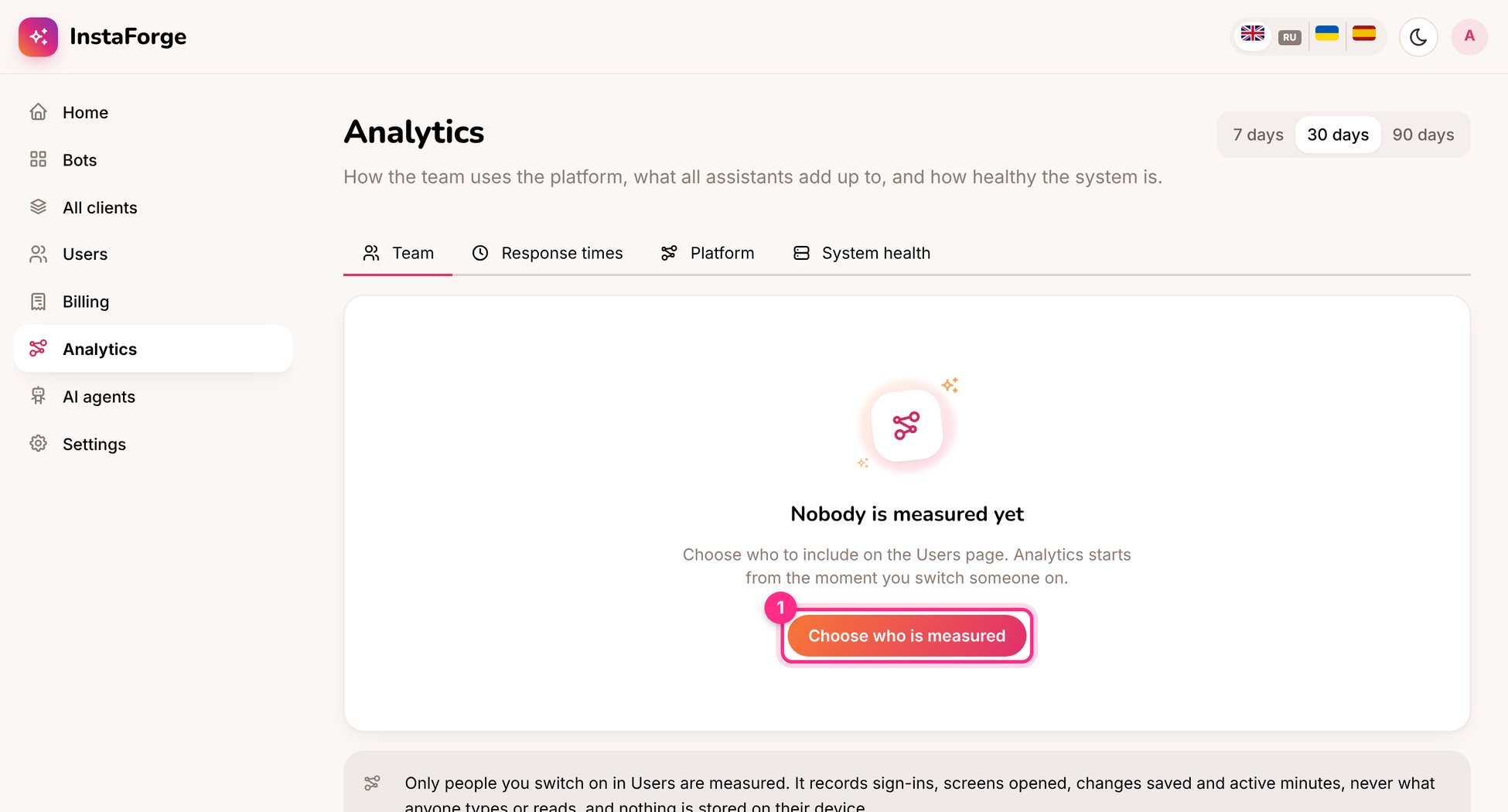 Nobody is measured until you choose who to include on the **Users** page. Analytics then records sign-ins and activity for those people only.
## Change several at once
Add the same answer, or change the same setting, across the clients you pick.
Nobody is measured until you choose who to include on the **Users** page. Analytics then records sign-ins and activity for those people only.
## Change several at once
Add the same answer, or change the same setting, across the clients you pick.
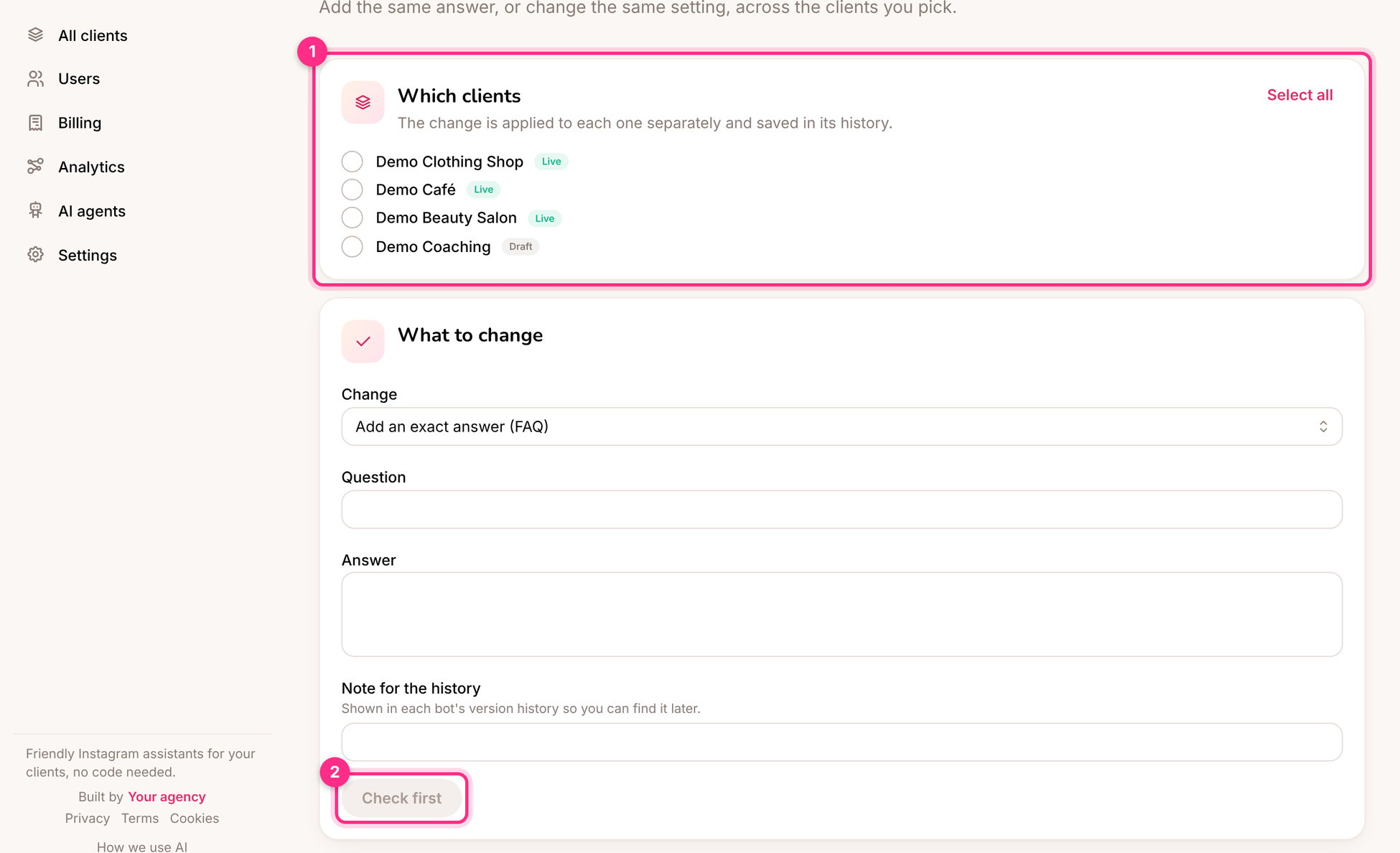 Tick the clients the change is for, or **Select all**.
**Add an exact answer (FAQ)**, **Add to the knowledge base** or **Change a setting**, and write a note for the history.
See what will change for each client, then apply.
Each client keeps a version from before the change, so any of them can be put back from its history.
**Ideas:** a new holiday opening-hours FAQ for every client; switching on follow-ups for all salons; adding a line about your new privacy contact to every assistant.
This documentation is built and hosted on [Mintlify](https://mintlify.com), a developer documentation platform.
Tick the clients the change is for, or **Select all**.
**Add an exact answer (FAQ)**, **Add to the knowledge base** or **Change a setting**, and write a note for the history.
See what will change for each client, then apply.
Each client keeps a version from before the change, so any of them can be put back from its history.
**Ideas:** a new holiday opening-hours FAQ for every client; switching on follow-ups for all salons; adding a line about your new privacy contact to every assistant.
This documentation is built and hosted on [Mintlify](https://mintlify.com), a developer documentation platform.