Every hour each assistant that talks to customers is checked: can customers reach it, and do they get answers? The result is on the assistant’s overview, and the team is alerted when something breaks.
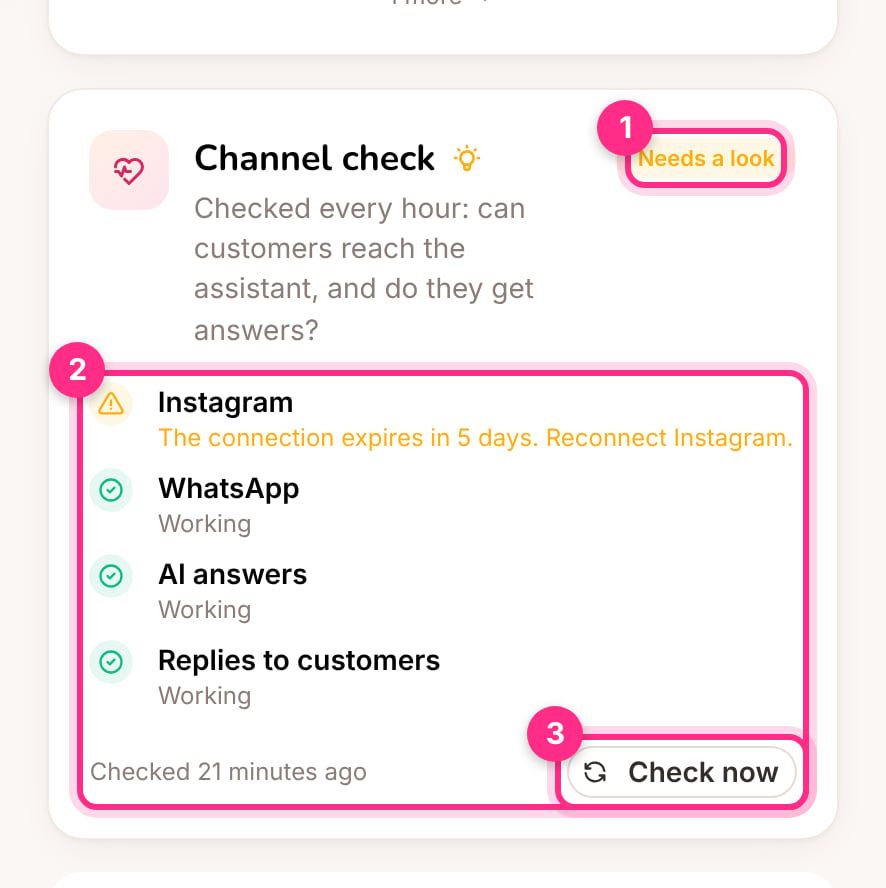
Channel check on the overview: the result (1), each part with what was found (2) and checking again now (3)

Channel check on the overview: the result (1), each part with what was found (2) and checking again now (3)

What’s checked

Instagram and WhatsApp don’t let anyone send a test message to a business account, so the check looks at both ends: the connection itself, and what actually happened to the people who wrote. Chats a person took over don’t count as left without a reply. Each part is Working, Needs a look (yellow) or broken (red). An assistant that’s paused, or a draft with no channel switched on, isn’t checked.

Alerts

When an assistant goes from working to broken, admins and editors get one alert (A channel or the AI stops working), and another when it works again. Turn them on or off in Settings → Notifications. A broken channel also shows first on the home page’s Needs you list and as a tip on the overview, and lowers the client’s health. Check now (3) runs the check straight away, for example after reconnecting Instagram.