

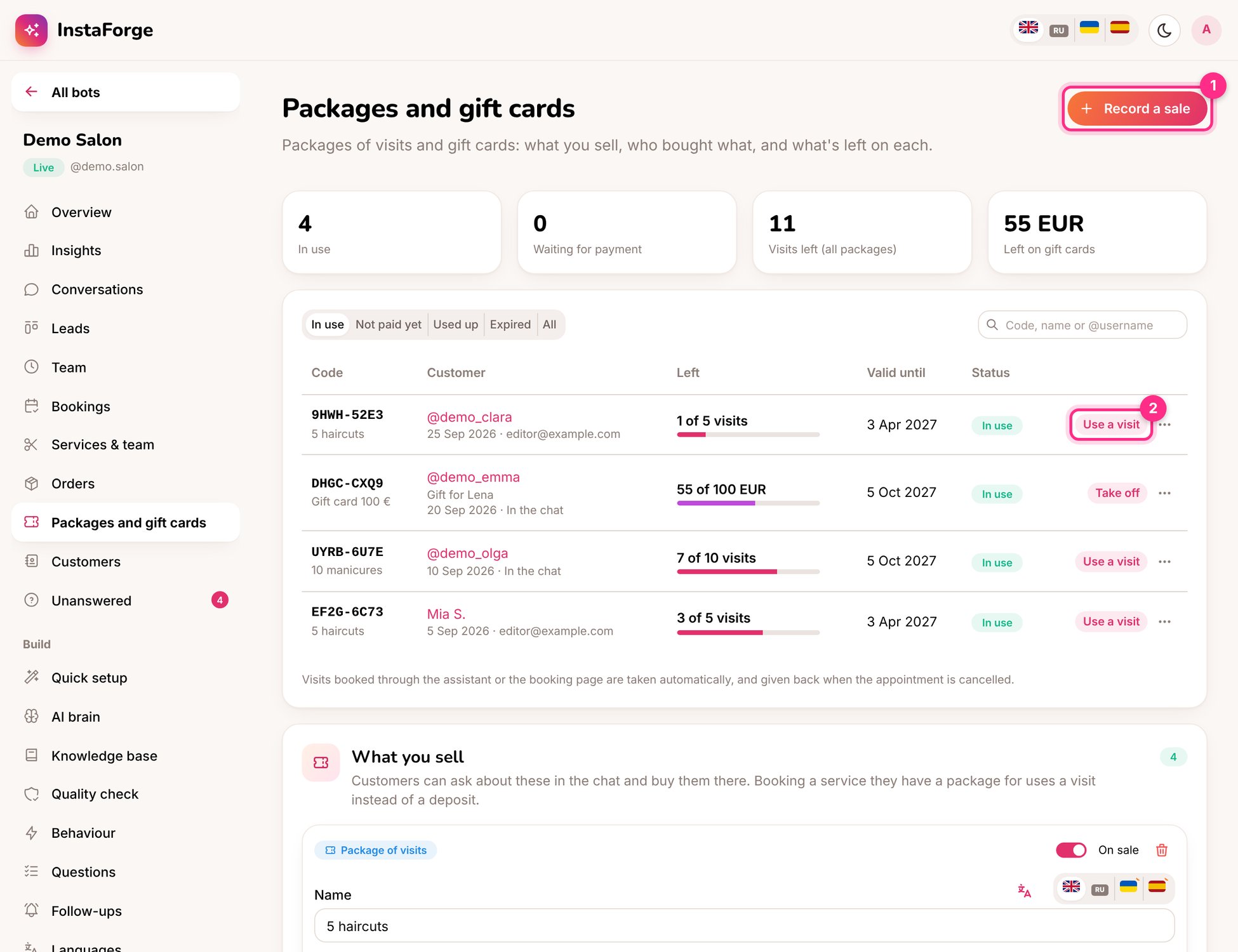
Packages and gift cards: record a sale (1) and use a visit (2)
Set up what you sell
On Packages and gift cards, click Add package or Add gift card:How customers buy
1
They ask
“Do you have packages?”, “I’d like a gift card”. The assistant lists what you sell.
2
They pay
With Stripe connected, they get a payment link and the code arrives in the chat as soon as they’ve paid. Without Stripe, the team gets an alert to arrange payment, and the code is sent when you mark it paid.
3
They use it
When booking, the assistant asks whether to use the package. On the booking page they can pay with a code. A gift card’s balance goes down by the price of the service.
Day to day
- Record a sale (1) for something sold at the counter.
- Use a visit (2) when someone uses a package at the counter.
- Filter by In use, Not paid yet, Used up and Expired.
- Customers can ask “How many visits do I have left?” any time.
If an appointment paid from a package is given back because it wasn’t confirmed, the visit goes back on the package.