

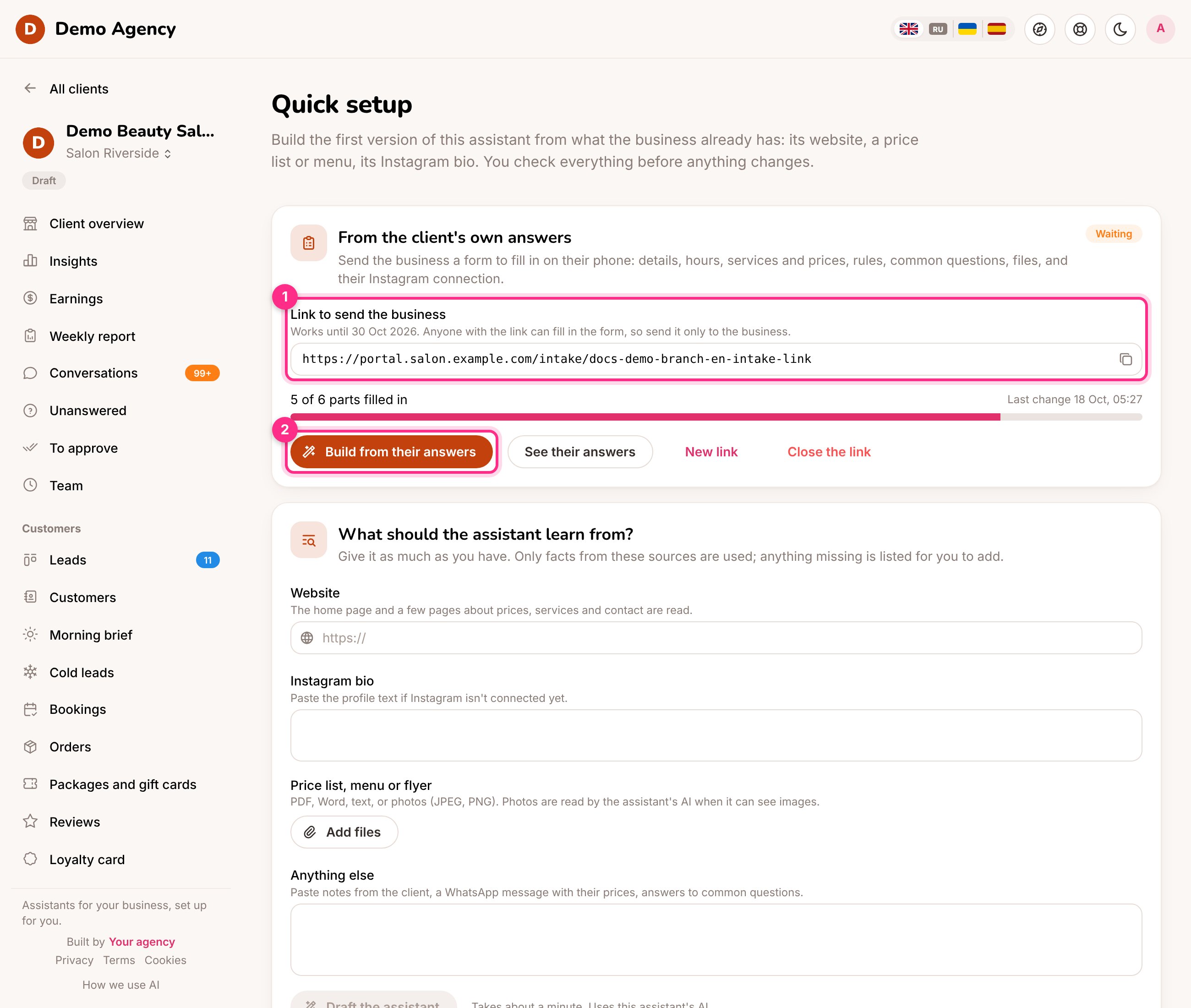
On Quick setup: the link to send (1) and building the assistant from the answers (2)
Send the form
1
Open Quick setup
In the assistant’s menu, open Quick setup. Admins and editors can use it.
2
Create the link (1)
Choose Two minutes or Full form (see below) and the language of the form (English, Russian, Ukrainian or Spanish), then click Create the link. The business can switch the language on the form too.
3
Send it to the business
Copy the link and send it to the business owner, for example on WhatsApp. It works for 30 days. Anyone with the link can fill in the form, so send it only to them.
The two-minute form
For busy owners, Two minutes asks for their website and seven short questions on one screen: what the business does, the most popular services with prices, opening hours, how customers book or buy, what customers ask most, and anything the assistant must never say or promise. A link at the bottom opens the full form if they want to add more.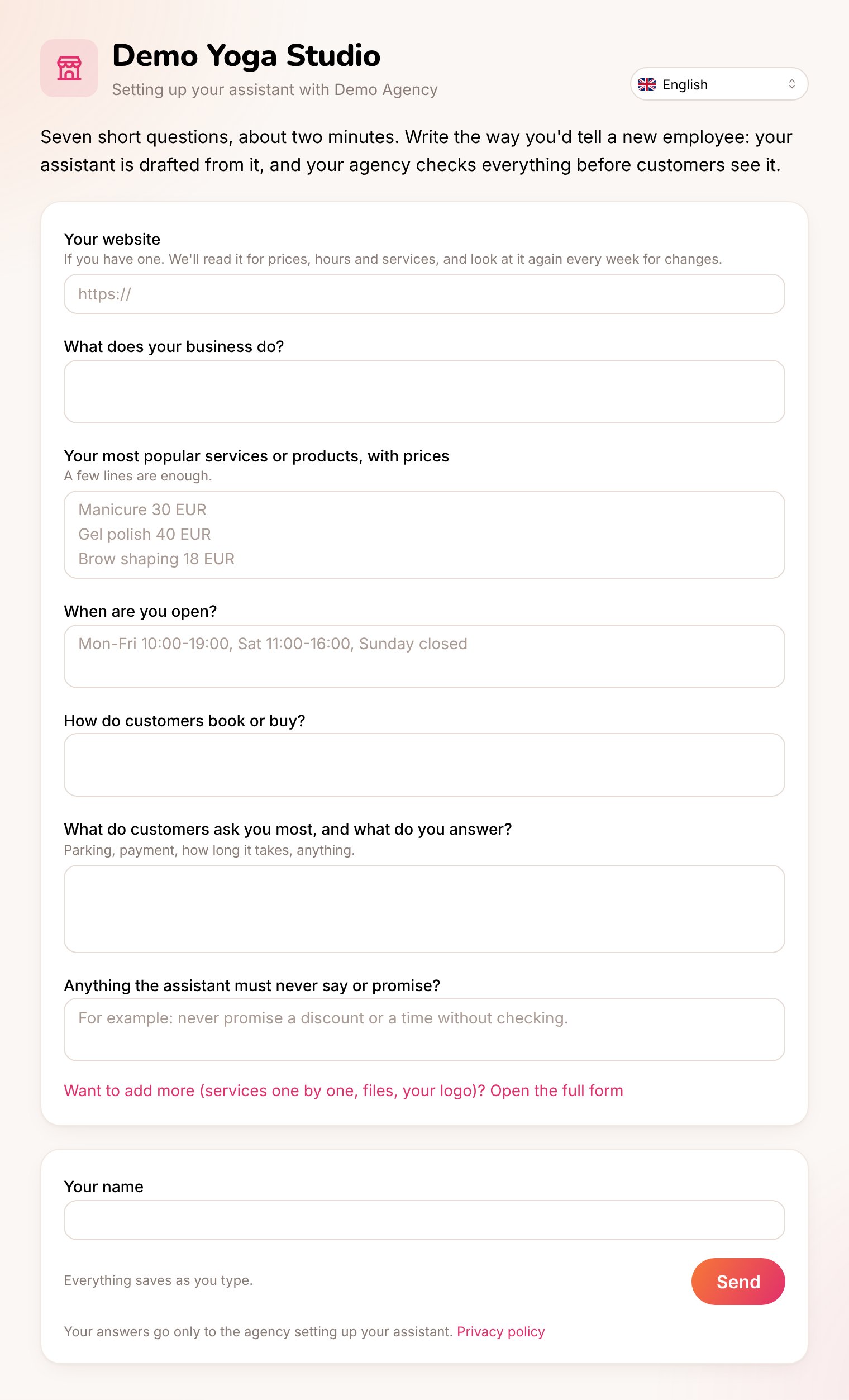
The two-minute form
What the full form asks
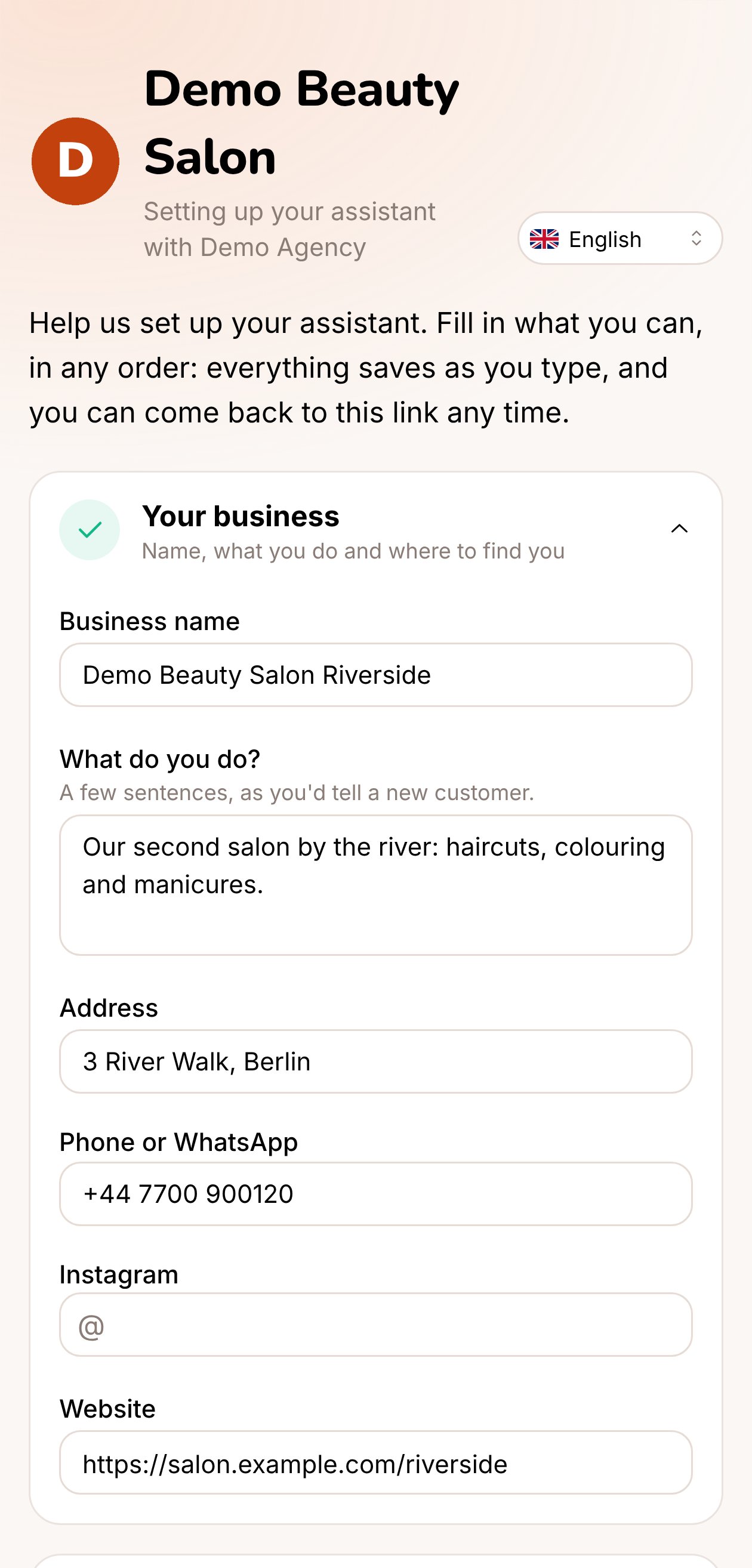
The form on a phone
- Their business: name, what they do, address, phone or WhatsApp, Instagram and website
- Opening hours, day by day
- Services and prices, with how long each takes
- Booking and cancellation, payment, and delivery rules
- Questions customers often ask, and their answers
- Their logo, and files such as price lists, menus or photos of signs
- How the assistant should talk, and the languages their customers write in
- A button to connect their Instagram account, shown until an account is connected
Build the assistant from the answers (2)
When the business presses Send, the assistant is drafted from their answers straight away, and everyone who manages the assistant gets an alert. The card then says the draft is ready: Open the draft to check it and apply what you like. The draft is kept for a week. If they gave a website, it’s also added to the weekly website check. If the business sends the form again, a new draft is made only when they changed their answers or files and the last draft is finished, and at most 3 times a day. Otherwise the card keeps the last draft. You can always build a new one yourself with Build from their answers. The card shows how many parts are filled in and when the business last changed something.- See their answers shows everything they wrote and lets you download their files. If they uploaded a logo, Use as the client’s logo puts it on the portal, booking page and shop. The form keeps only their latest logo, and they can change it up to 10 times an hour. When you close the link or make a new one, the logo is deleted too, unless you used it as the client’s logo.
- Build from their answers drafts the assistant from the answers, their files and their website, the same way as Quick setup does. The opening hours and prices are kept exactly as they typed them. Check the draft, untick what you don’t want, and apply.
Close or replace the link
New link makes a fresh link, and Close the link stops it working. Either way the old answers and files are removed, so build from them first if you need them. What you already applied to the assistant stays.The form shows only the business’s own answers and files. It doesn’t give access to the dashboard, the conversations or any other client.
client_intake tool: create a link (two_minute for the short form), check progress and build the draft.