

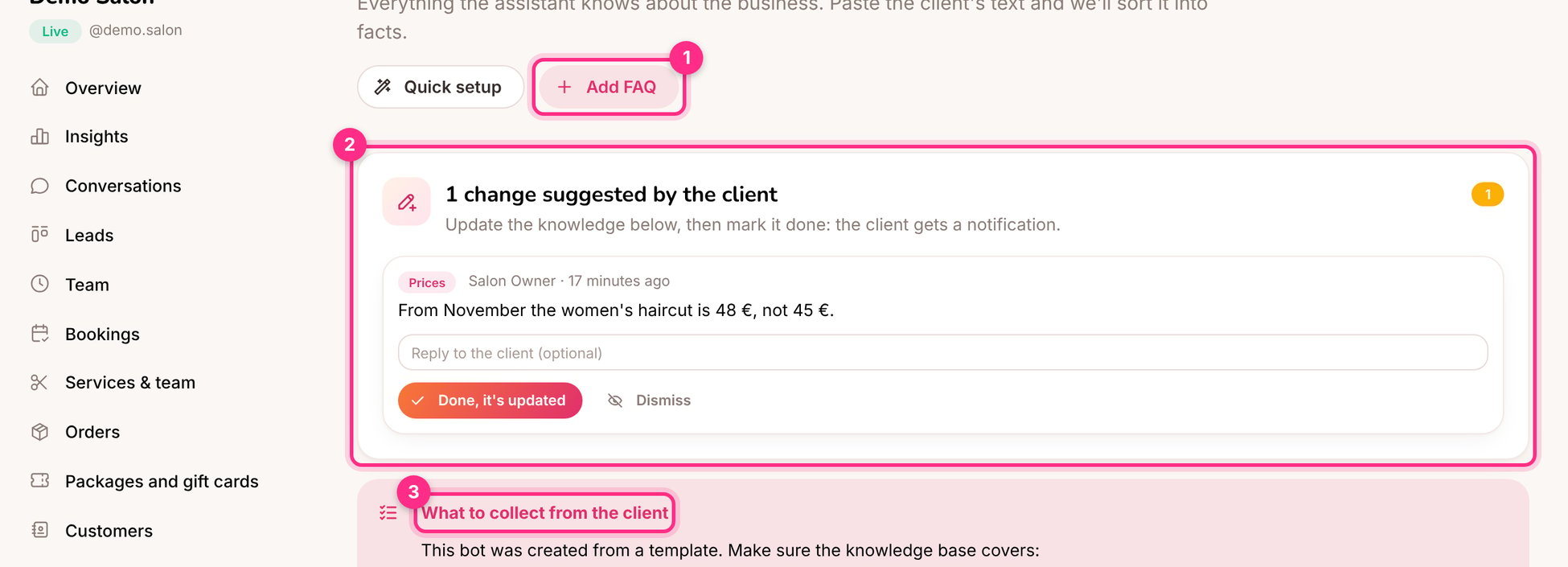
The knowledge base: add FAQ (1), the client's suggested change (2) and the template checklist (3)
Two kinds of entries
Add knowledge
- Paste text
- Upload a file
- From a website
- Add FAQ
Click Add information → Paste text. Headings become sections, and lines written as Tick Also create FAQ entries with AI to have questions and exact answers written for you from the text.
Q: … A: … become FAQ entries:Check what it would use
Use Try a question to see which entries the assistant would use for a question, and whether an FAQ would be sent word for word.Changes suggested by the client (2)
Business owners can suggest changes from their portal (“From November the haircut is 48 €”). Update the knowledge, then click Done, it’s updated: the client is told it’s done.Tips
- Say what the business doesn’t do. “We don’t do men’s haircuts” stops the assistant from offering them.
- One fact, one place. If the price is in an FAQ and in a text entry, change both or delete one.
- Use the checklist (3). Bots made from a template show what to collect from the client.
- Answer unanswered questions. The Unanswered questions page turns real customer questions into FAQ entries.