Build, test and switch on your first assistant in about 15 minutes.
This walk-through builds an assistant for a hair salon. The steps are the same for any business; only the template changes.
1
Create the assistant
Open Bots and click New bot (1). Give it a name your team will recognise, the business name customers know, and the main language customers write in.Pick a template that matches the business. A template adds a welcome message, Instagram starter questions and a question flow for booking, ordering or reserving a table.
Template
Good for
Beauty salon or studio
Hair, nails, beauty, massage, barbers
Restaurant or café
Table reservations, menus, opening hours
Online shop
Product questions, orders, delivery
Coach, expert or courses
Consultations, programmes, enrolments
The Bots page with the New bot button
2
Teach it about the business with Quick setup
Open Quick setup in the bot’s menu. Give it whatever you have: the business’s website (1), the Instagram bio, a price list or menu as a PDF or photo (2), and any notes from the client. Click Draft the assistant (3).After about a minute you get a draft: knowledge, exact FAQ answers, a welcome message, starter questions, opening hours and services. Tick what’s right, fix what isn’t, and apply it.
Quick setup reads a website, a bio, files and notes
Quick setup only uses facts from what you give it. Anything it couldn’t find is listed for you to ask the client.
3
Connect an AI service
Open AI brain, choose the service and model, and paste the API key. Click Test connection. Using the client’s own key means AI usage is billed to them. See AI brain.
4
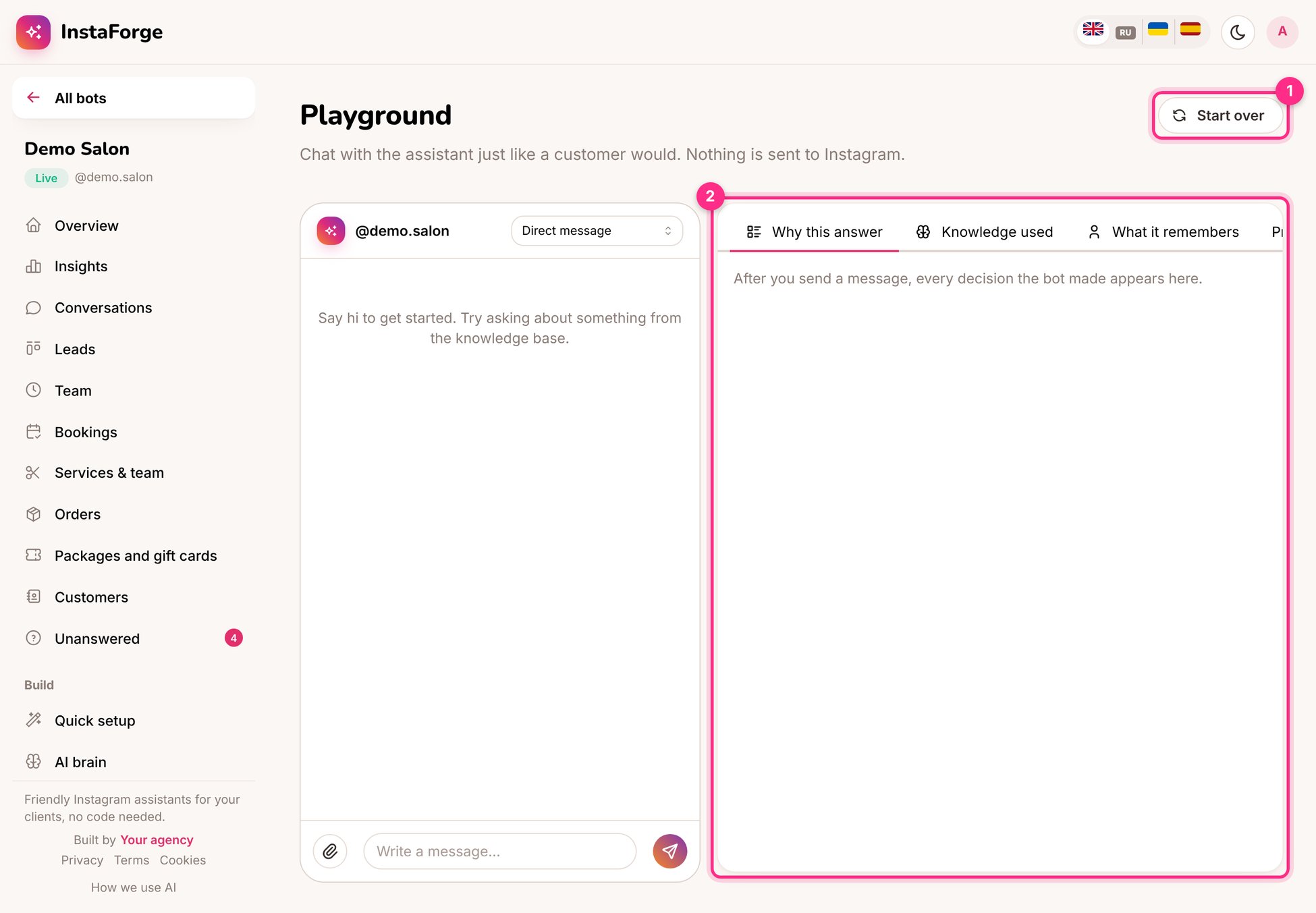
Test it in the playground
Open Playground and write to the assistant the way a customer would: ask about a price, ask for a free time on Saturday, write in another language. The right-hand panel shows why it answered the way it did and which knowledge it used. See Playground.
Every bot’s Overview page has a status switch (1) and a setup checklist (2). Each step opens the page where it’s done, and is crossed out once it’s finished.
The status switch and setup checklist
Turn on the website chat on day one. It doesn’t need Meta’s approval, so the client can start using the assistant on their website while the Instagram connection is being set up.
Assistant
Responses are generated using AI and may contain mistakes.