

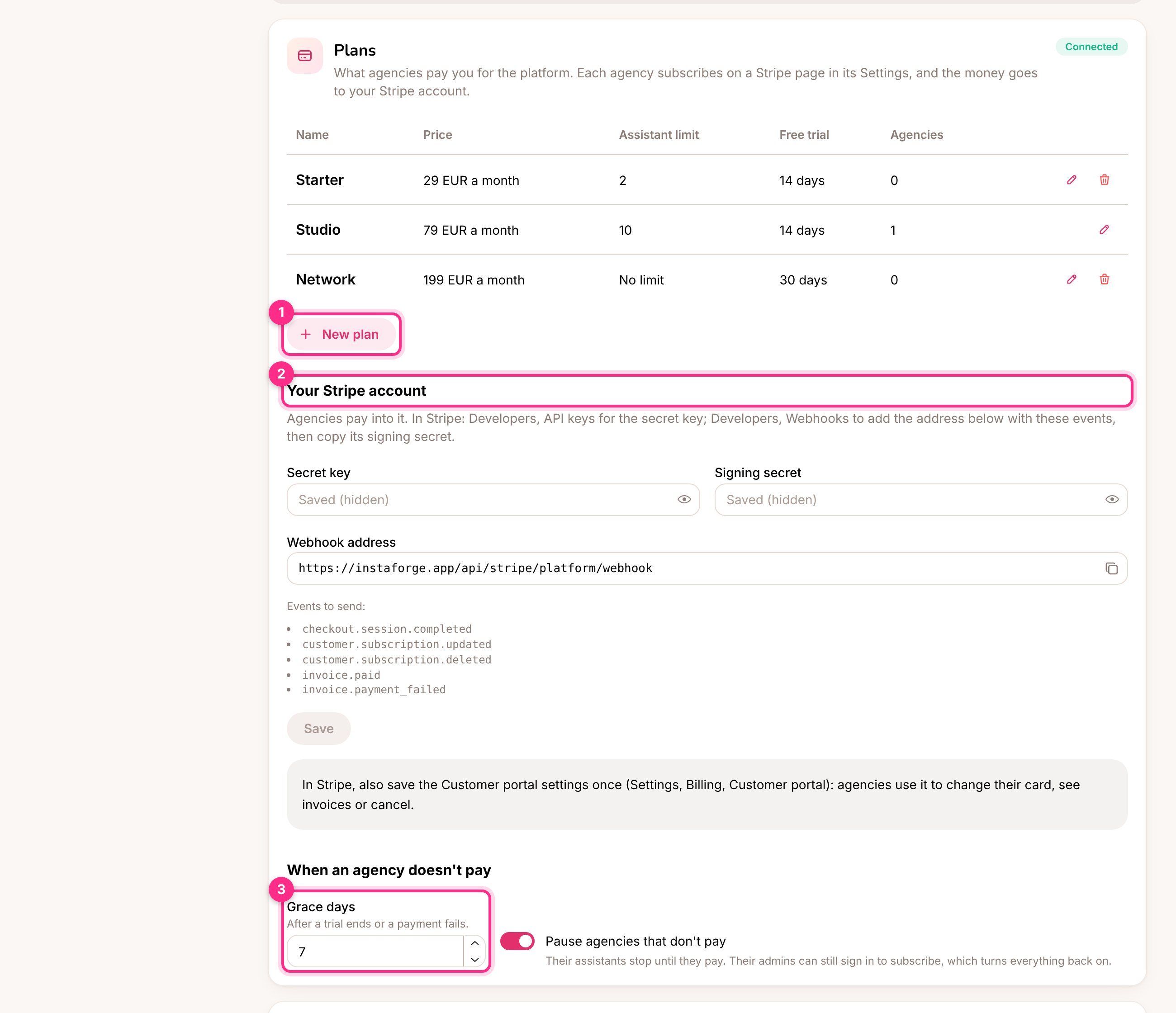
The Plans section of the Platform page: add a plan (1), your Stripe account (2), what happens when an agency doesn't pay (3)
Connect your Stripe account
This is done once. It’s your own Stripe account, separate from the Stripe accounts your agencies’ clients use for online payments.1
Copy the secret key
In Stripe, open Developers → API keys and copy the Secret key (it starts with
sk_live_, or sk_test_ to try it out first). Paste it into Secret key in the Plans section (2).2
Add the webhook
In Stripe, open Developers → Webhooks → Add endpoint. Paste the Webhook address shown in the Plans section and select the five events listed under it. Save, then copy the endpoint’s Signing secret (
whsec_...) into Signing secret and click Save.3
Turn on the customer portal
In Stripe, open Settings → Billing → Customer portal and save it once. Agencies use it to change their card, download invoices or cancel.
Make a plan
Click New plan (1) and fill in:
A new assistant limit or features apply to every agency on the plan straight away. A new price applies to new subscriptions. A plan can be deleted only when no agency is on it.
Put an agency on a plan
When you add or edit an agency, pick its Plan. The trial starts at once, and the plan’s assistant limit and features replace the agency’s own. Type a number in Free trial to give this agency a different trial, or a new trial later. Choose No plan for an agency you don’t charge, or one you bill by hand. The Platform page shows each agency’s plan and where it stands: Trial, Paid, Waiting for payment, Payment failed or Cancelled.What the agency sees
The agency’s admins find their plan in Settings → Plan. They click Subscribe (1), pay on Stripe’s own page, and come back to the platform. During a trial the first charge is taken when the trial ends, so subscribing early costs nothing extra.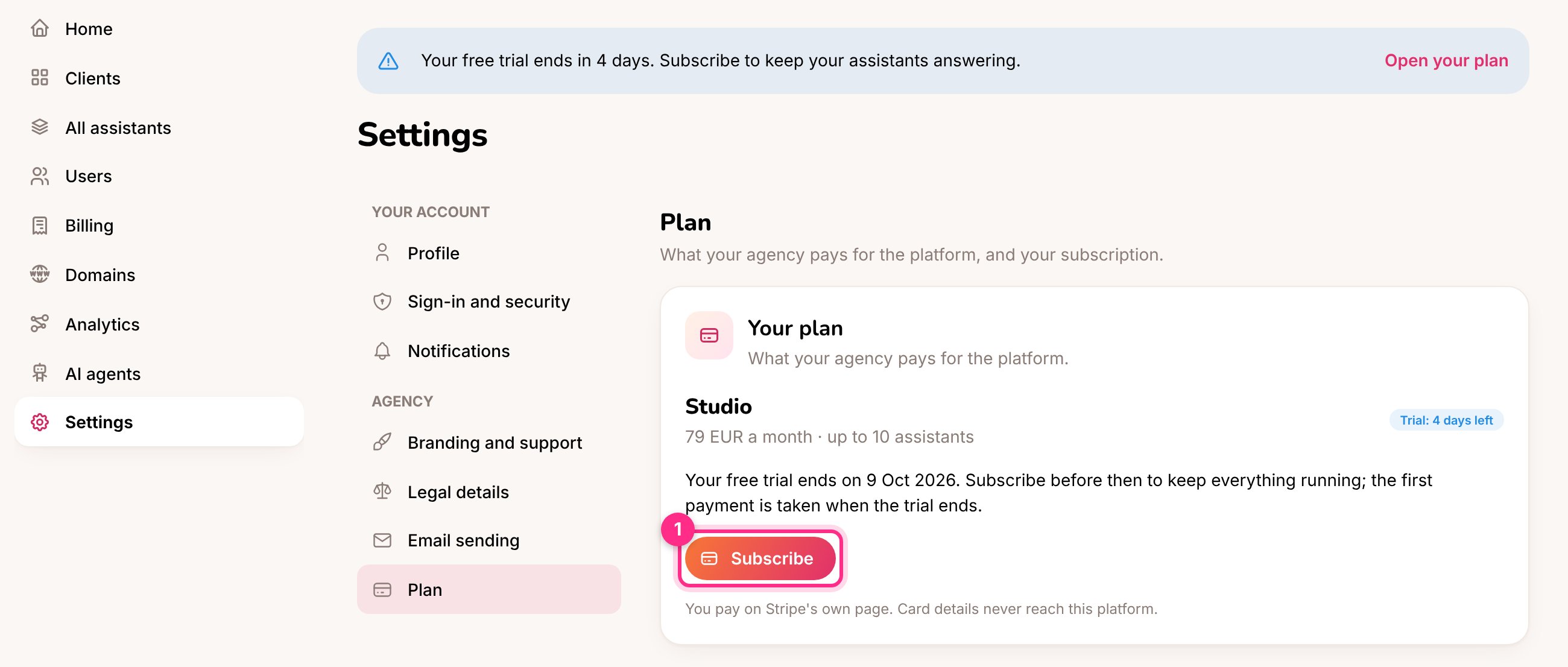
An agency admin's plan during the free trial: the banner at the top and Subscribe (1)
- From five days before the trial ends, and whenever a payment is due, admins see a banner at the top of every page. They also get an email three days before the trial ends and when a payment fails.
- Once subscribed, Manage subscription opens Stripe’s customer portal to change the card, see invoices or cancel.
- Other people in the agency (managers, agents, business owners) never see the plan.
When an agency doesn’t pay
An agency is late when its trial ends without a subscription, a payment fails or the subscription is cancelled. It then gets the number of Grace days you set (3). You get an alert when a payment fails, a subscription is cancelled or paid, and when an agency is paused. If Pause agencies that don’t pay is on, the agency is paused when the grace days run out:- its assistants stop answering and its public pages close,
- only its admins can sign in, and they see just their plan with a way to pay,
- nothing is deleted.
A pause you made by hand on the Platform page stays until you resume the agency, even if the agency pays.
Who sees the card details?
Who sees the card details?
Nobody on the platform. Agencies pay on Stripe’s page, and InstaForge only receives Stripe’s signed messages about the subscription.
Can I still pause an agency myself?
Can I still pause an agency myself?
Yes, the pause and play buttons on the Platform page work as before.
Can an AI agent manage plans?
Can an AI agent manage plans?
Yes. Connected as the platform owner, an AI agent can list and save plans and put agencies on them.