

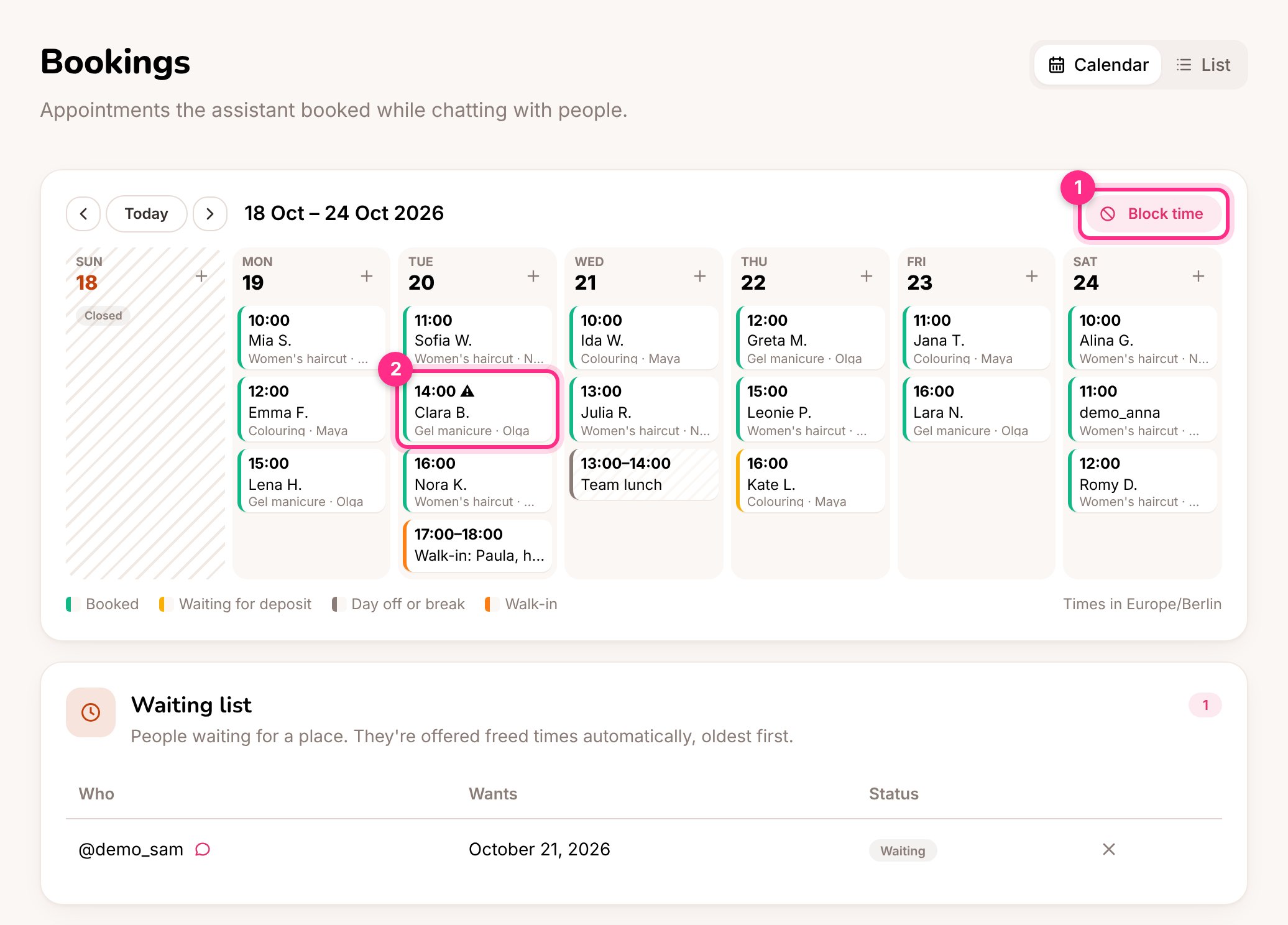
Bookings: block time (1) and an unconfirmed appointment (2)
Everyday tasks
Customers move and cancel in the chat
People don’t need the team to change an appointment. They write it in their own words, in any language the assistant speaks (“can we move it to Wednesday?”, “I need to cancel”), and the assistant handles it with the calendar.1
Moving: free times with the same service and person
The assistant offers free times right away, with the time they asked for first when it’s free. What they told you for the first booking (name, phone) isn’t asked again. The appointment being moved doesn’t take up its own time, so a move to a longer service can keep it.
2
Another service: the same time and person
“Keep it, but colouring instead of the haircut” changes the appointment to the service named, with the same person when they do it. The same time is booked when it’s free for the new service, and the confirmation names the service and the person.
3
The new time is booked, the old one is let go
The old time becomes free, goes to the waiting list and is removed from the connected calendar. A paid deposit, a package visit and any extras move with the appointment.
4
Cancelling: asked once to be sure
The assistant asks “Cancel your appointment on Mon 19 Oct 10:00?” with Yes, cancel and No, keep it.
Where free times come from
Under How the assistant books choose the booking system:
You also set the opening hours, the length of a time slot, how much notice is needed and how far ahead people can book.
The assistant also goes by these opening hours when it tells someone the business is closed or when the team is back. When the knowledge base gives other hours for a weekday (“open every day 8:00 to 21:00” while Sunday is closed here), the assistant’s Overview shows a warning with each weekday that disagrees, so you can fix whichever is wrong. An AI agent sees the same in
booking_setup, under hours_unlike_knowledge.
All times are shown in the business’s time zone, wherever you are: in the calendar, the bookings list, on Home, on lead cards, in the customer base and in the client’s portal. When your own clock is in another time zone, a small label names the business’s, for example “Madrid time”.