

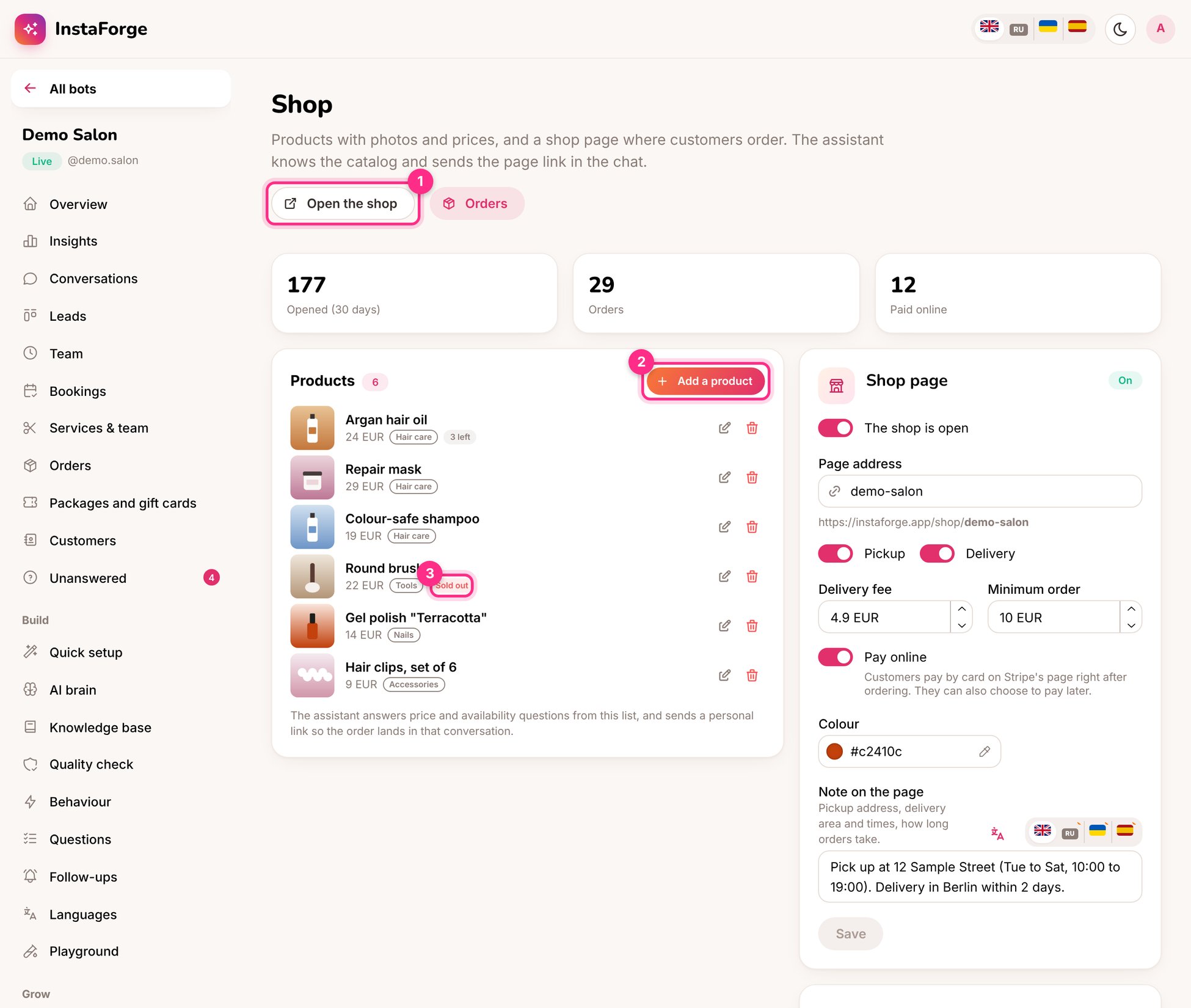
The Shop page: open the shop (1), add a product (2) and a sold-out product (3)
Set up the shop
1
Add products (2)
A photo, a name and description (in each language), a price, a category and, if you want, how many are in stock. At 0 the product shows as Sold out (3).
2
Choose how orders are fulfilled
Pickup, delivery (with a delivery fee) or both, a minimum order, and a note (“Pick up at 12 Sample Street, Tue to Sat”).
3
Choose how people pay
With Stripe connected, customers can pay online. Otherwise they pay on pickup or delivery.
4
Share the shop link
The shop lives at an address like
instaforge.app/shop/demo-salon. Put it in the bio, in stories and in the assistant’s answers.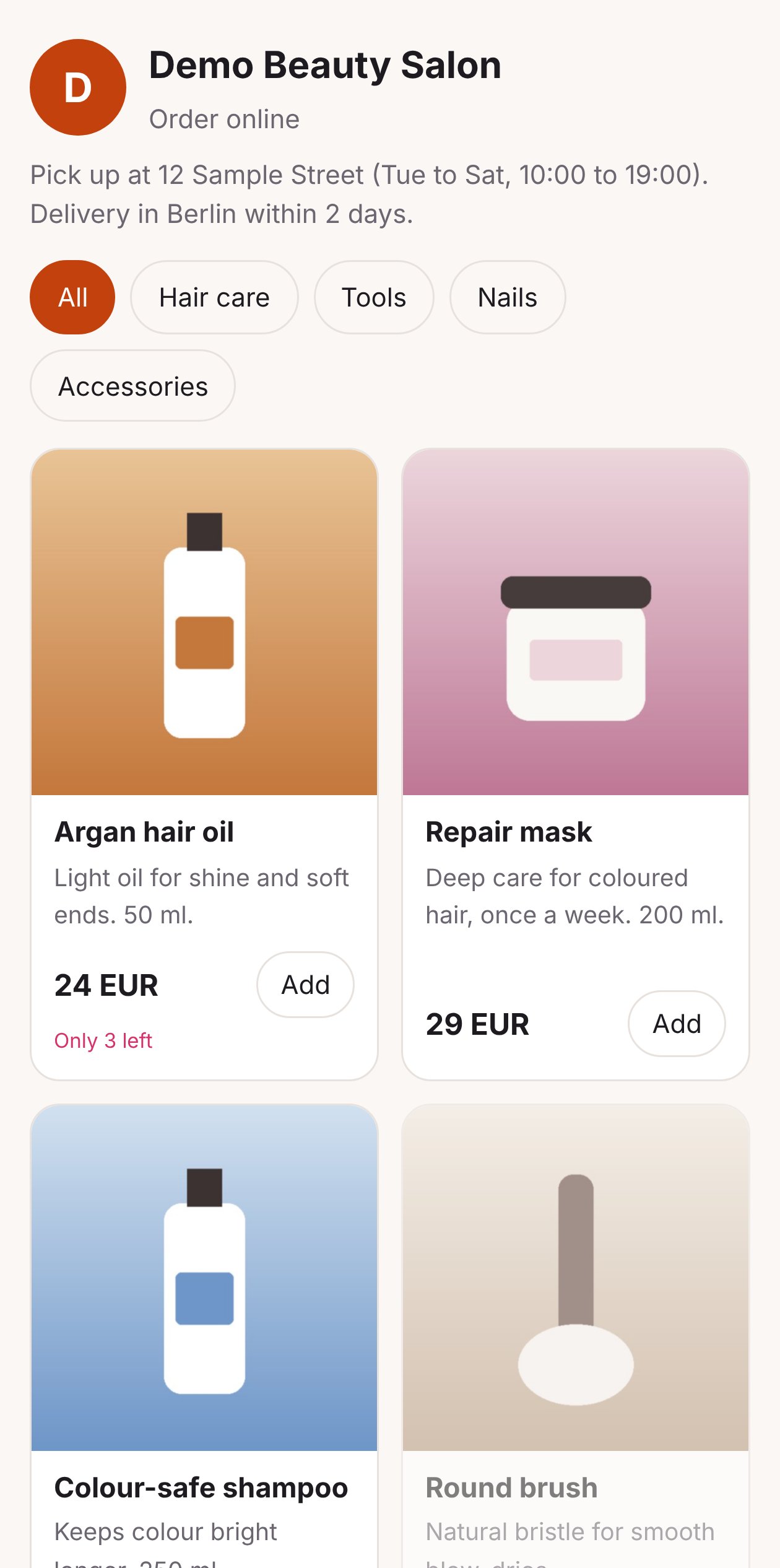
The shop on a phone
Orders
Every order appears on Orders, with the items, total, pickup or delivery, and whether it’s paid.Move an order along: New → Paid → Ready → Delivered, or Cancelled. Each move tells the customer in the chat (or by email), so nobody has to ask “where’s my order?”.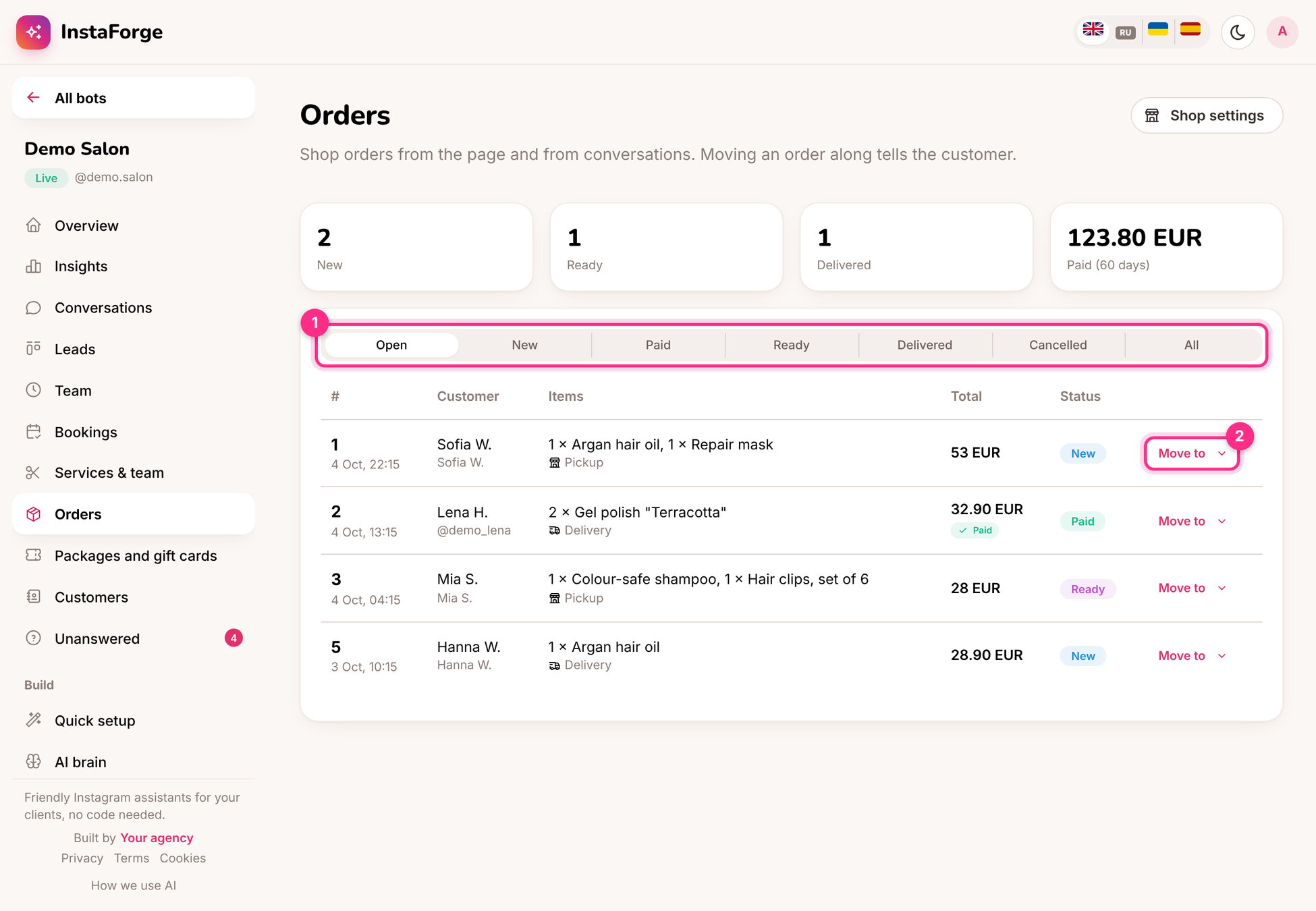
Orders: filter by status (1) and move an order along (2)