

Backups
Every night at 02:30 UTC the database and uploaded files are encrypted and copied to Cloudflare R2 (or any S3 storage). Recent days, weeks and months are kept. The platform owner gets an alert if a backup fails.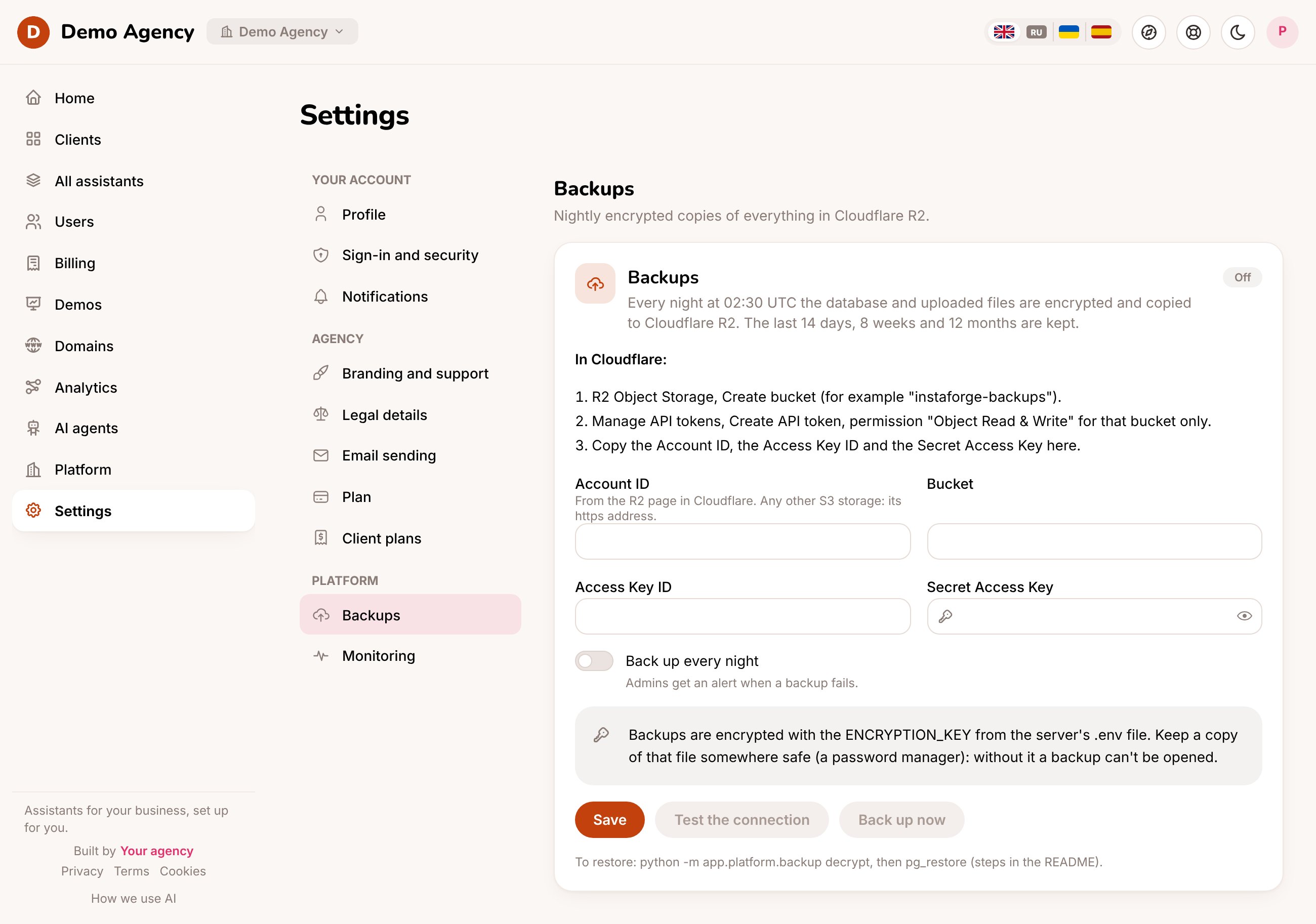
Backups
1
Create a bucket
In Cloudflare: R2 Object Storage → Create bucket, for example
instaforge-backups.2
Create an API token
Manage API tokens → Create API token, with permission “Object Read & Write” for that bucket only.
3
Paste the details
The Account ID, the bucket, the Access Key ID and the Secret Access Key. Switch on Back up every night and save.
The weekly restore drill
A backup only helps if it can be brought back. Every Wednesday the server takes the newest backup from the bucket, decrypts it and restores it into a throwaway database of its own, never the live one. It checks that every table has exactly the rows the backup recorded and that the rules keeping agencies’ data apart are there, then starts the platform’s database code on it. Afterwards the throwaway database is deleted. The platform owner gets an alert when the drill fails, and also when none has passed for 8 days, for example because it stopped running. Settings → Monitoring shows whether it passes. The AI agent’ssystem_status tool shows the last drill’s result, with the backup’s date and size.
The drill uses the bucket settings above. There is nothing else to set up.
Monitoring
Every minute the platform checks itself: the website, the database, the queue, the disk, the backups, the weekly restore drill and, when websites are read through Cloudflare WARP, that the WARP proxy works. A problem that lasts 3 minutes is reported to the platform owner by email, and also on their phone or in Telegram if those are set up, and again when it’s fixed. Email needs no setup, so the alert arrives even before notifications are turned on. The owner also hears when the web app starts again without a deploy, which means it stopped on its own: it ran out of memory, crashed, or Docker or the server restarted. To see which, run the Server status workflow on GitHub (Actions, Server status, Run workflow). It lists each container with its restarts, last exit code and whether it ran out of memory, and Docker’s most recent stops and starts, without any logs. Run it soon after the alert: Docker remembers only its last few hundred events, and on a busy server they reach back a few hours at most. A restart by hand that makes the containers again with the same version (for exampledocker compose up -d after a change to .env) sends no alert: Docker gives a new container a new name, while one it restarts after a crash keeps its own. The system_status AI-agent tool still lists that start, marked as made again by hand.
Under the checks you also see which version of the platform is running and since when.
Errors
When something on the server fails (a page’s request or a background job such as sending a broadcast), it’s recorded and grouped: the same problem a hundred times is one line, with how many times it happened and when. The list is in Analytics → System health.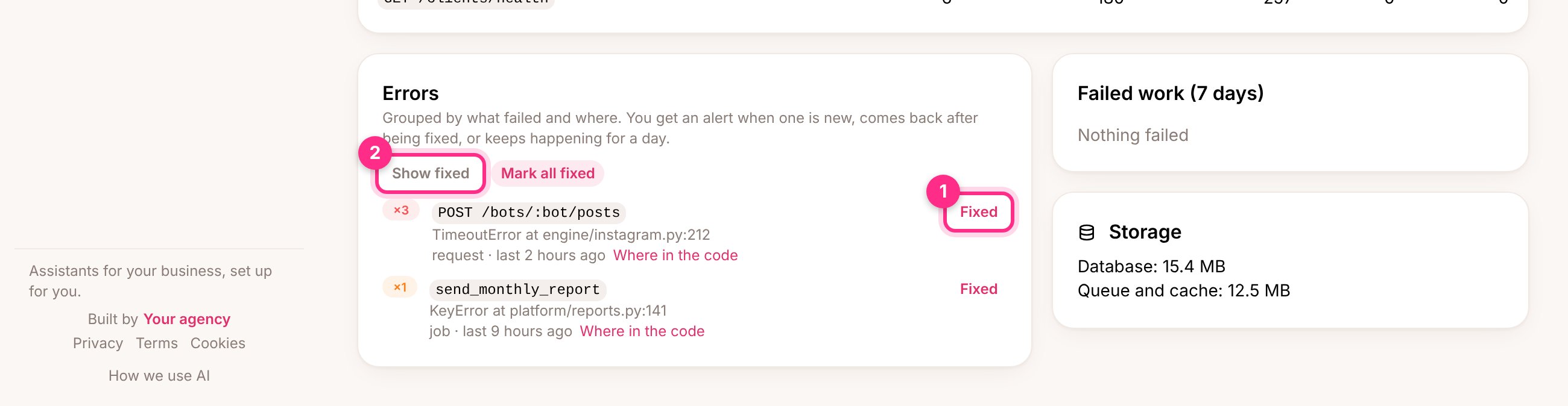
Errors on the System health page: mark one fixed (1), or show the ones already fixed (2)
- when a new error appears,
- when an error marked Fixed (1) happens again,
- at most once a day while an error keeps happening.