

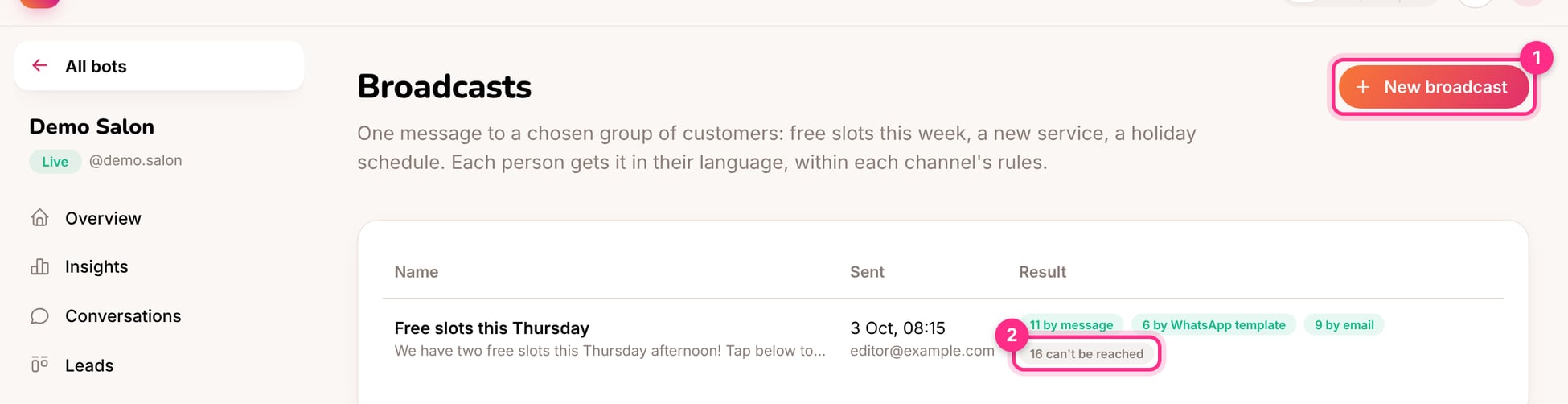
Broadcasts: a new broadcast (1) and how a sent one reached people (2)
Send a broadcast
1
Click New broadcast (1)
Give it a name you’ll recognise later, such as “Free slots this Thursday”.
2
Choose the audience
You can also choose which channels to include: Instagram, Messenger, WhatsApp, the website chat and the booking page. People who said no to messages, or didn’t give consent, are always left out.
3
Write the message
In each language your customers use. Switch on Book button to add a button that starts a booking.
4
Check the reach, then send
The page shows how many people can get it now, and on which channel.
How people are reached (2)
Instagram and Messenger only allow messages within 24 hours of the person’s last message. So each person gets the broadcast:- as a message, if their window is open;
- as a WhatsApp template, if they wrote on WhatsApp and a template is set up;
- by email, if they booked on the booking page and left one;
- otherwise they’re skipped and counted as “can’t be reached”.
Ideas
- “Two slots just opened this Thursday afternoon. Tap below to book.”
- “Our autumn menu is here 🍂 Reserve a table for this weekend.”
- “The jacket you asked about is back in stock in your size.”