

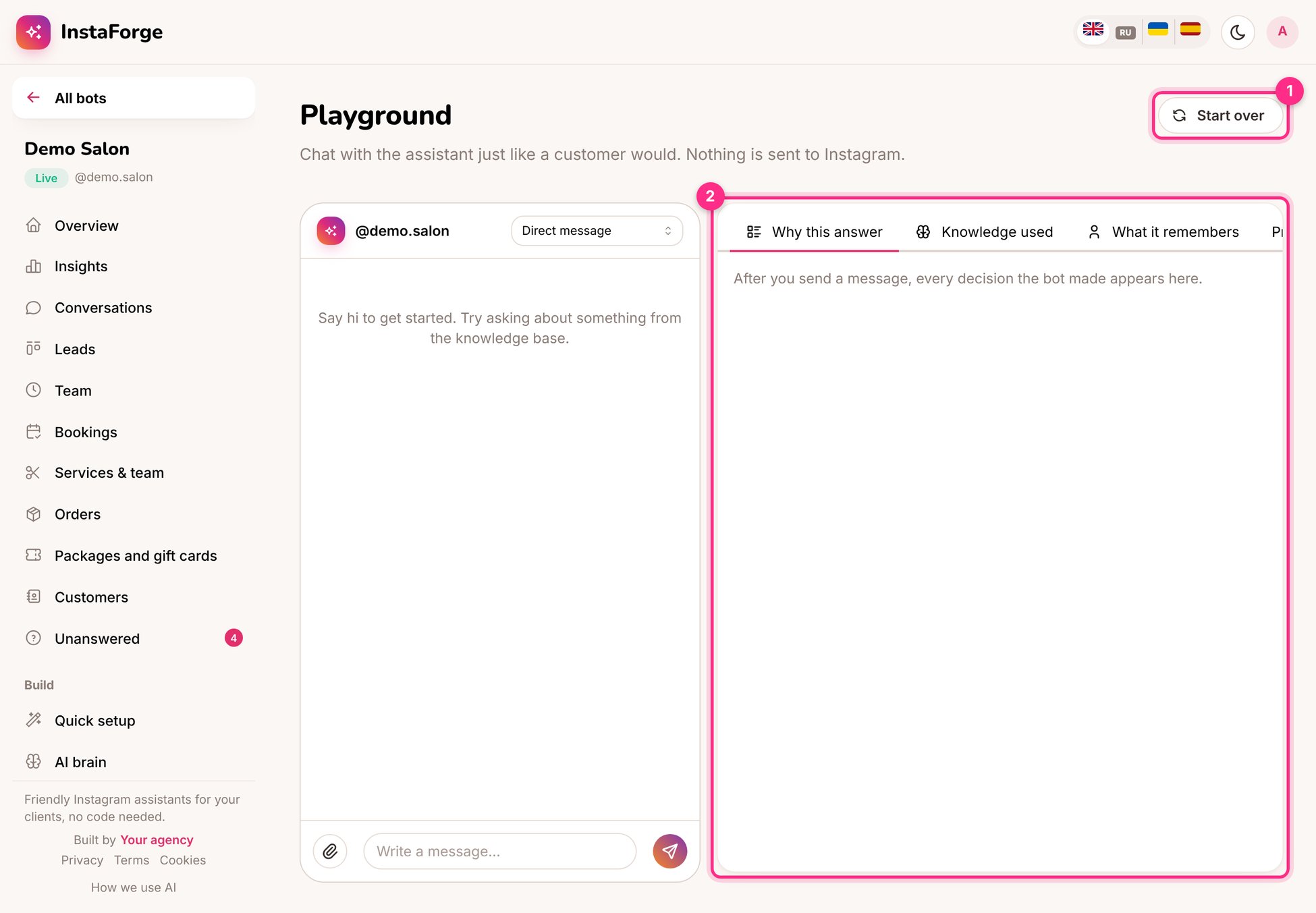
The playground: start over (1) and the explanation panel (2)
How to test
1
Choose what to simulate
A direct message, a comment, a story reply or a mention. Comments show the public reply and the DM separately.
2
Write like a customer
Short, informal, with typos. Ask in each language the business’s customers use.
3
Read the explanation (2)
Why this answer shows which rule matched, which knowledge was used, what the assistant remembers about “you” and the exact prompt sent to the AI.
4
Start over (1)
Clears the test chat and its memory, so you can test the first-contact experience again.
A 10-minute test script
- “Hi” (welcome message only)
- “How much is a haircut?” (should be the FAQ answer, word for word)
- “Do you do beard trims?” (should say no, not invent)
- “Can I come Saturday afternoon?” (should offer real free times)
- “¿Cuánto cuesta el color?” (should answer in Spanish)
- “Can I talk to a person?” (hand-off message, then silence)
When an answer is wrong in a real conversation, use Correct next to it in the inbox. The right answer becomes an FAQ straight away.