

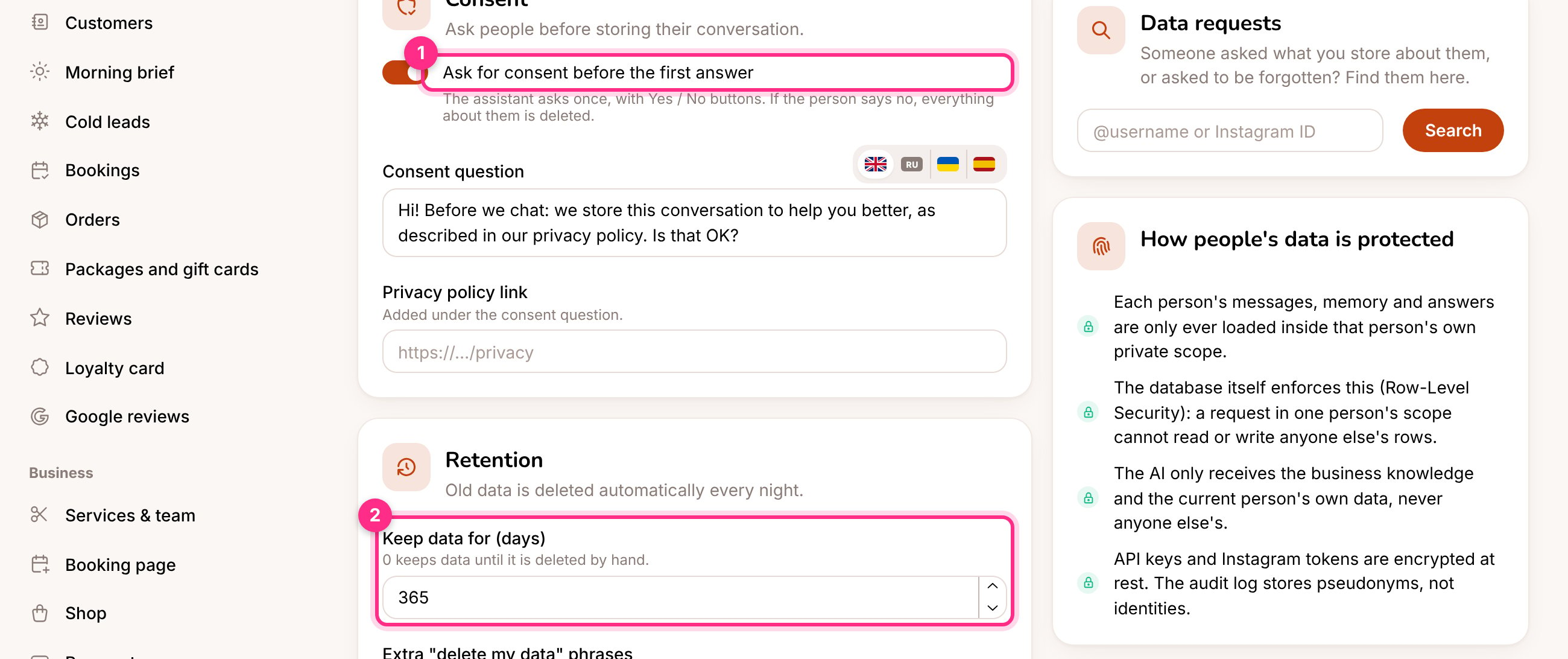
Privacy: consent (1) and retention (2)
The settings
When people ask what is stored
In private chats the assistant knows these settings, so it can answer questions such as “what do you keep about me?” or “can I have this chat deleted?”. It says that the conversation is stored, for how long, when the person agreed (if consent is on) and where the privacy policy is. With no Privacy policy link, it gives the assistant’s own privacy page. It tells people they can have everything deleted by asking in the chat, and never says that something has been deleted: only the deletion itself sends that message. Public replies under posts never mention any of this.When someone comes back
For 30 days after someone had their data deleted in the chat, or said no to storing it, the assistant recognises them when they write again. It uses the audit log, which keeps only a pseudonym. With consent on, their first message gets one line and the short consent question (“Before I can answer, I need your OK to store this chat. Is that OK?”), not the whole first-time greeting: for example “Your earlier data, including our previous chat, was deleted on 17 Oct 2026, as you asked.” or “As you asked, nothing from your earlier messages was stored.” The line is said once: their next messages get the short question alone, also after they tap No, thanks and write again. When they ask whether their data was really deleted, the line comes back in front of the short question. That the line was said is kept as a row in the audit log (Told their earlier data was deleted or not kept), under the same pseudonym and without anything they wrote, because a “no” deletes everything else. Before they say yes, only questions an FAQ answers word for word are answered, and nothing they write goes to the AI. The AI is told about the deletion as well, so if the person asks, it confirms it and never denies it. A deletion made by the team or through Meta’s data deletion request is mentioned without “as you asked”.Data requests
Open the person in Conversations and use:- Export data to download everything stored about them (the right of access).
- Delete all data in the ⋯ menu next to it to erase it (the right to be forgotten).