

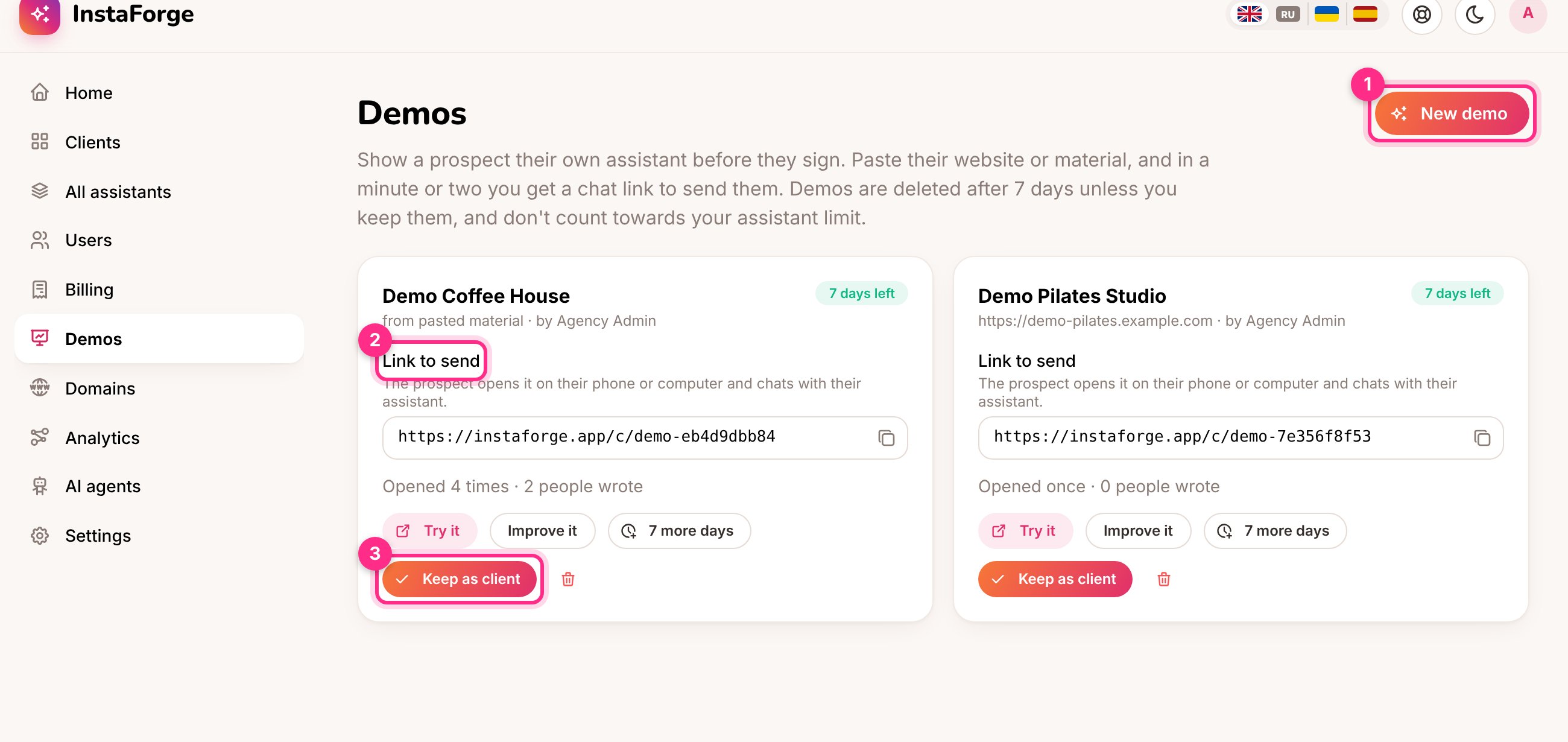
Demos: make a new one (1), the link to send (2), and keep it as a client when they say yes (3)
Make a demo
Admins and editors find Demos in the main menu.1
Click New demo
Type the business’s name.
2
Give it something to read
Paste their website (1), or paste material (2): an Instagram bio, a price list, opening hours, a few questions and answers. Both together work best.
3
Choose the language and type
Pick the language their customers write in and, if it fits, the type of business (salon, shop, restaurant or expert), which adds a welcome message and booking or order questions.
4
Make the demo
It’s built in a minute or two. When the card says how many days are left, copy the Link to send.
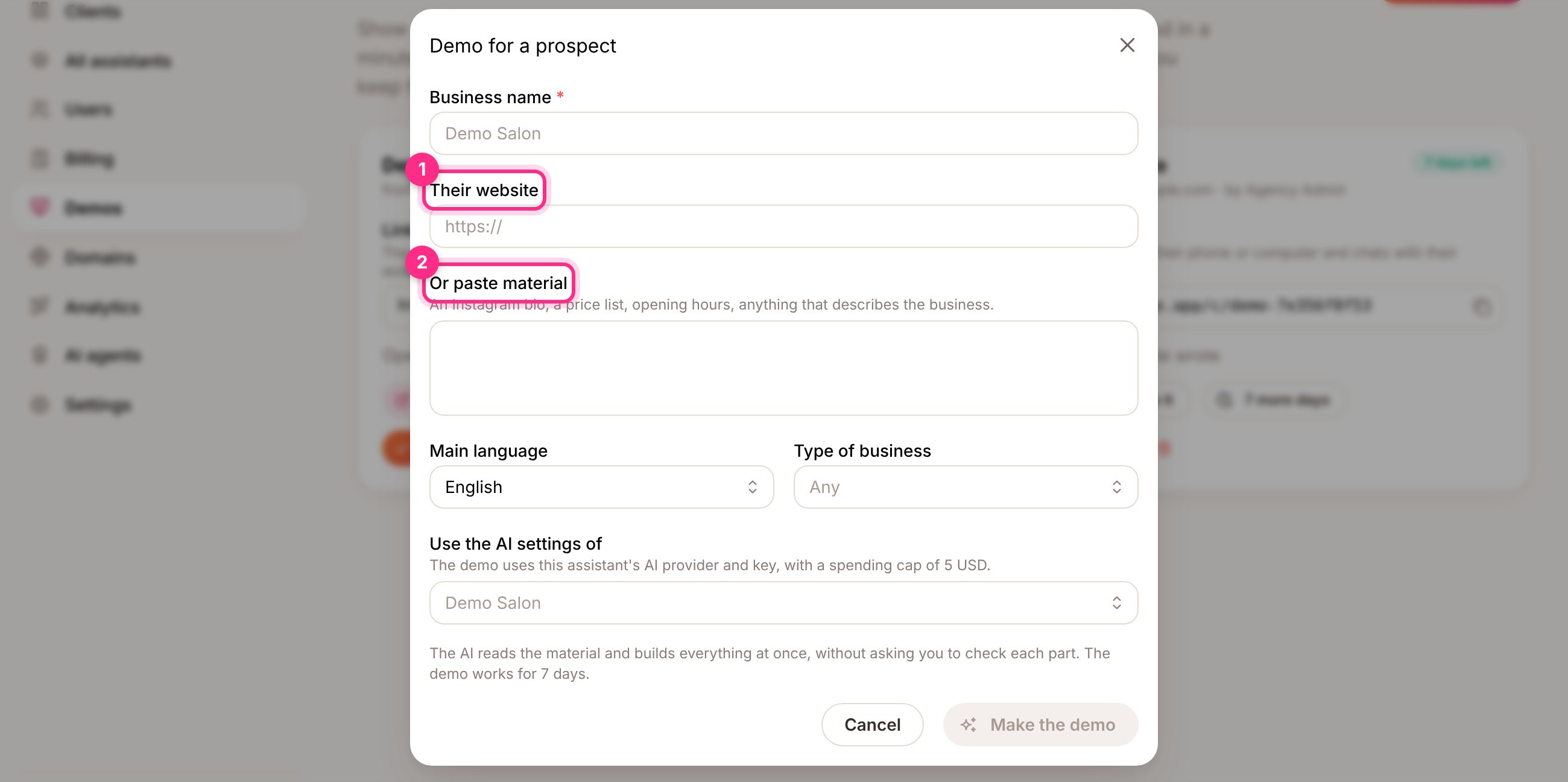
A new demo: their website (1) or pasted material (2)
What the prospect sees
The link opens a chat page with the business’s name. A note at the top says it’s a demo and until when it works. The assistant answers in their language, asks for consent like the real one, and, when you chose a type of business, asks the booking or order questions.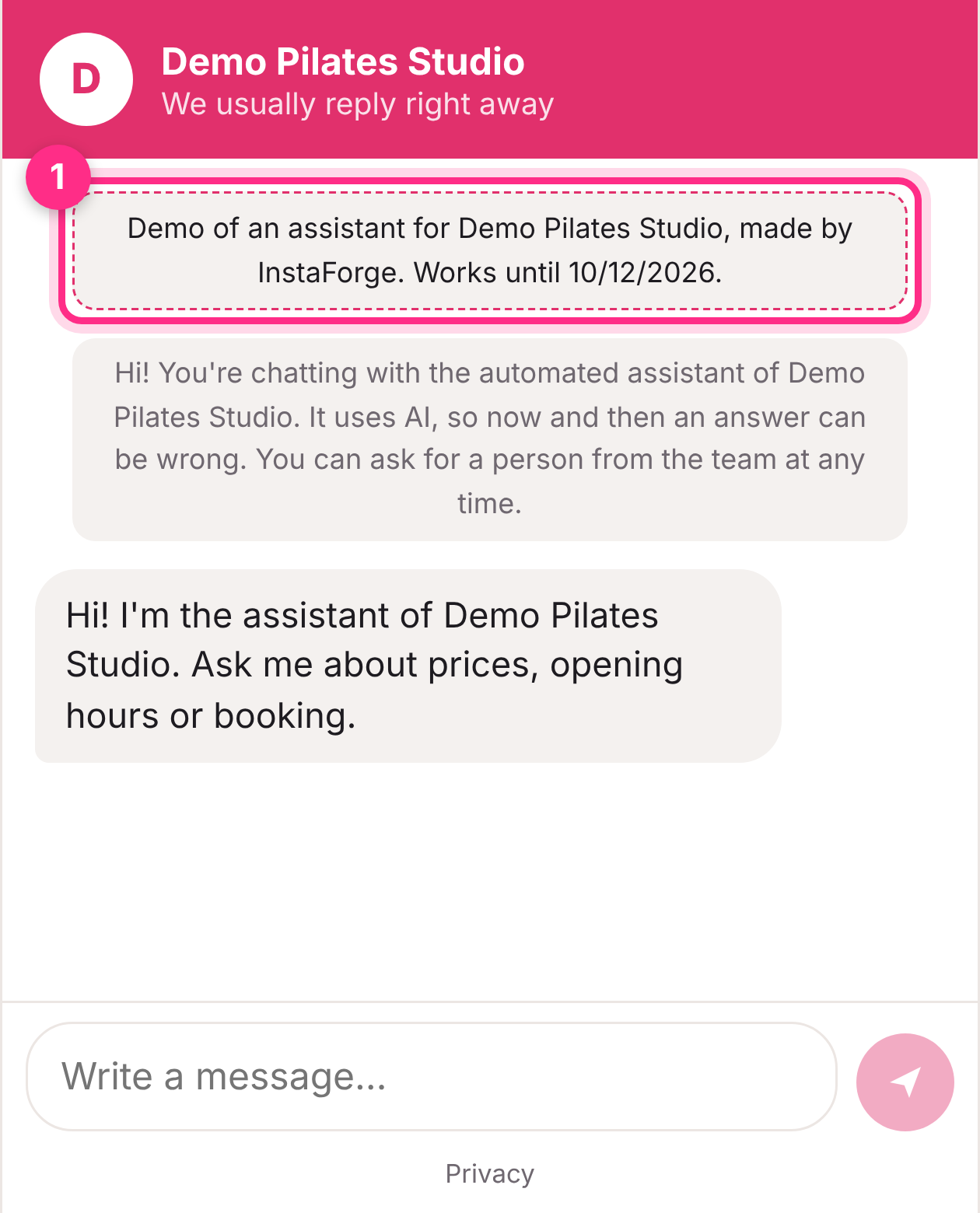
The demo chat on a phone, with the demo note (1)
When they say yes
Click Keep as client. The demo becomes an ordinary client with its assistant, keeping everything it learned, and then counts towards your assistant limit. Connect their Instagram from the assistant’s page and set it live as usual.How long a demo lasts
- A demo works for 7 days. 7 more days extends it, up to 30 days from the day it was made.
- After that the link stops working, and the demo is deleted that night with any conversations in it.
- Demos don’t count towards your assistant limit, and they stay out of the clients list and billing.
- Up to 10 demos at a time.
Which AI does a demo use?
Which AI does a demo use?
The AI settings of one of your assistants (you choose which; by default the one changed most recently), with a spending cap of 5 USD a month, so a demo can’t run up costs.
The demo says it couldn't be built
The demo says it couldn't be built
The website couldn’t be read (some sites block reading), or the AI didn’t answer. Delete it and try again with pasted material.
Can an AI agent make demos?
Can an AI agent make demos?
Yes. Ask a connected AI agent, for example: “Make a demo for Demo Salon from demo-salon.example.com and give me the link.”